Independent app review · Evidence checked August 31, 2026
Amazing Marvin review 2026: brilliant flexibility, with a catch
Amazing Marvin can imitate several productivity methods without making you move every task when one stops helping. That flexibility is rare and occasionally wonderful. It also makes the app an inviting place to redesign your system instead of doing the work inside it.
 Amazing Marvin
Our take
Is it worth using?
Amazing Marvin is the most configurable personal task manager in our review library. It suits people who have tried several methods and want to switch strategies without switching databases. Choose something simpler if setup itself becomes a form of procrastination, or if dependable mobile use matters more than desktop depth.
Inside the apps
What they actually look like
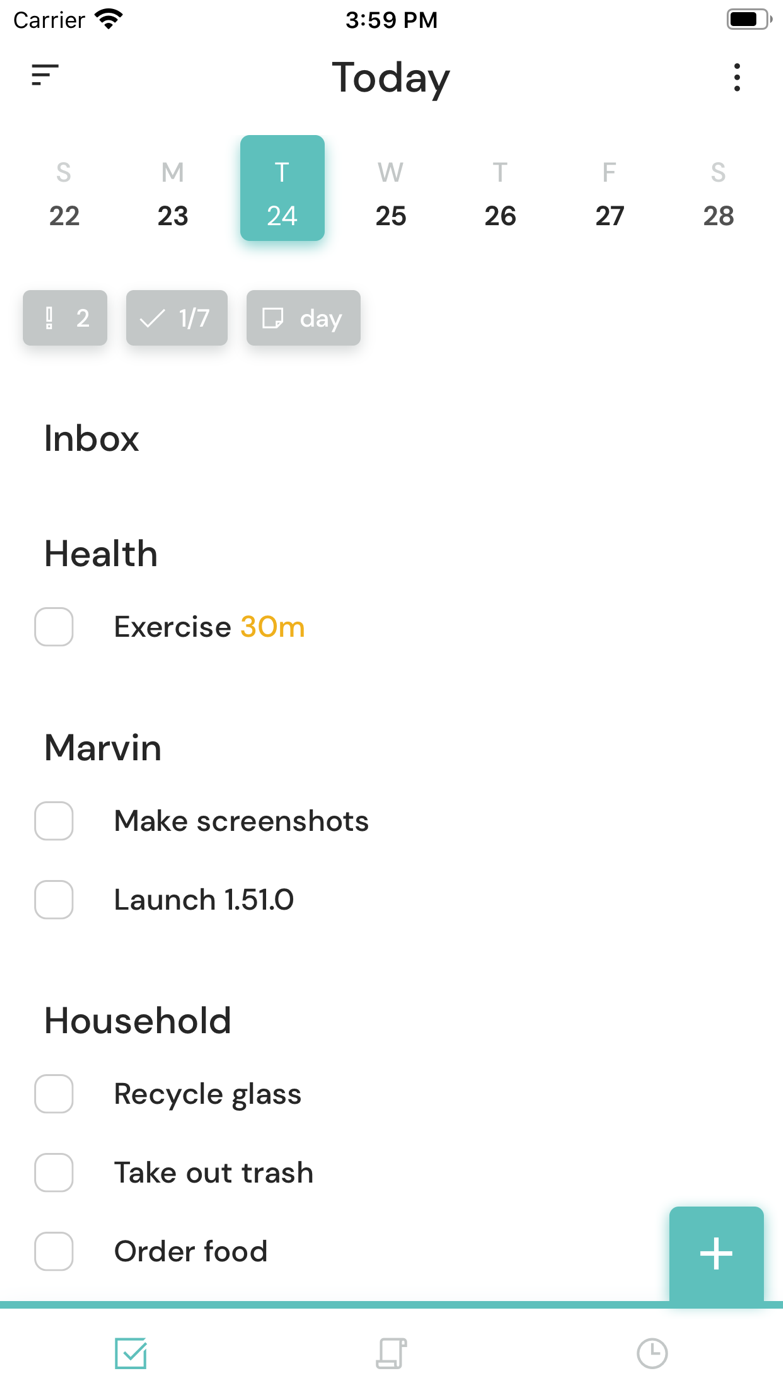
These screenshots come from the apps' current App Store listings. They are not mockups we made for the article.
What users report
What starts to matter after a week
We read recent reviews for Amazing Marvin to look for praise and friction that product pages leave out. They are anecdotes, not a vote, so they challenge our testing rather than decide the verdict.
One user who tried more than 20 tools calls Marvin a hidden gem. Another says a calendar bug makes the mobile app hard to trust.
The quick version
The differences that matter
- Best for
- People who need to change planning strategies
- Price model
- Trial followed by a paid subscription or purchase option
- Main strength
- Unusually deep, modular workflow customization
- Main weakness
- Setup can become the hobby
- Mobile
- Less polished and trusted than the desktop experience
- Best alternative
- Todoist for restraint; OmniFocus for formal structure
Strategies let the same tasks behave like a different app
Marvin can add a daily plan, time estimates, a priority matrix, work modes, rewards and many other strategies without forcing all of them on at once. A system can change while the underlying task inventory stays put.
That matters when a planning method helps for three weeks and then becomes invisible. Most apps make you migrate or live with the original choice. Marvin lets you change the presentation and rules.
The best setup is smaller than the tempting setup
The strategy library encourages experimentation. Enabling too much creates a dashboard whose parts compete for attention and whose logic is difficult to remember a month later.
Start with capture, projects and one strategy tied to a real problem. If prioritizing is hard, add a priority method. If starting is hard, add a work mode or timer. Do not install an ideology because the settings page makes it look interesting.
It understands that doing and organizing are different problems
Many task apps improve storage while leaving initiation untouched. Marvin includes tools aimed at breaking work down, selecting the next action and making a session feel finite.
That does not mean every motivational feature will work. The useful part is being able to test one without rebuilding the entire task system around it.
Mobile reliability is the difficult caveat
A user who tried more than twenty productivity tools calls Marvin a hidden gem. Another says a calendar bug makes the mobile app hard to trust. A task manager can survive an inelegant screen; it cannot survive a user doubting whether the phone reflects the plan.
People who plan mainly at a desktop may accept that imbalance. Anyone who captures and completes most tasks on a phone should test the mobile workflow before paying.
Flaws, but not dealbreakers
Marvin is expensive compared with simpler lists, visually dense in places and capable of absorbing hours of configuration. Its smaller audience also means fewer familiar integrations and less platform polish than the biggest services.
No other app in the ranking offers quite the same laboratory for personal workflow. That is a strong recommendation for a narrow person and a warning for everyone who already spends too long tuning productivity software.
Good to know
A few common questions
Is Amazing Marvin good for ADHD?
Its flexible strategies may help with prioritizing or starting, but flexibility can also create setup overload. It is not a treatment and should be tested against a specific need.
Is Amazing Marvin hard to use?
The basics are manageable, but its value and complexity both come from the large strategy library.
What is the best Amazing Marvin alternative?
Todoist is much simpler, OmniFocus offers deep but more formal structure, and TickTick combines tasks with focus tools in a more conventional interface.
Sources
Where we checked the facts
We use the app maker's own pages for prices and features. Reviews and community posts are useful for spotting problems, but one person's experience is still one person's experience.
- 01OfficialAmazing Marvin product pageView source
- 02Project docsAmazing Marvin features and strategiesView source
- 03App StoreAmazing Marvin US App Store listing and reviewsView source