Mac field guide · Checked September 3, 2026
The 6 best to-do list apps for Mac
Things 3 is the best Mac to-do app for most Apple-only personal setups. Apple Reminders is the best free choice. Todoist is the one we would pick when Windows, Android or another person needs access.
See all sixDo not compare all six
Start with the constraint that rules apps out.
Mac users tend to mean one of three things by “best”: it should feel native, stay simple, or keep working away from the Mac. Those are different requests.
The useful differences
What changes the decision
“Mac app” is not the same as “Mac-like app.” We checked whether capture works from the keyboard, what happens on iPhone, and which choices still work outside Apple’s ecosystem.
| App | Mac feel | Keyboard capture | Windows / Android | Shared lists | Free option |
|---|---|---|---|---|---|
| Things 3 | Excellent | Excellent | No | No | Paid once |
| Apple Reminders | Excellent | Good | No | Yes | Included |
| Todoist | Good | Excellent | Yes | Yes | Useful free plan |
| TickTick | Good | Good | Yes | Yes | Useful free plan |
| OmniFocus | Excellent | Excellent | No | No | Trial only |
| NotePlan | Excellent | Good | No | No | Trial only |
Based on the current US versions and product documentation checked September 3, 2026. “Mac feel” is our editorial judgment, not a vendor claim.
Best Mac experience
Things 3
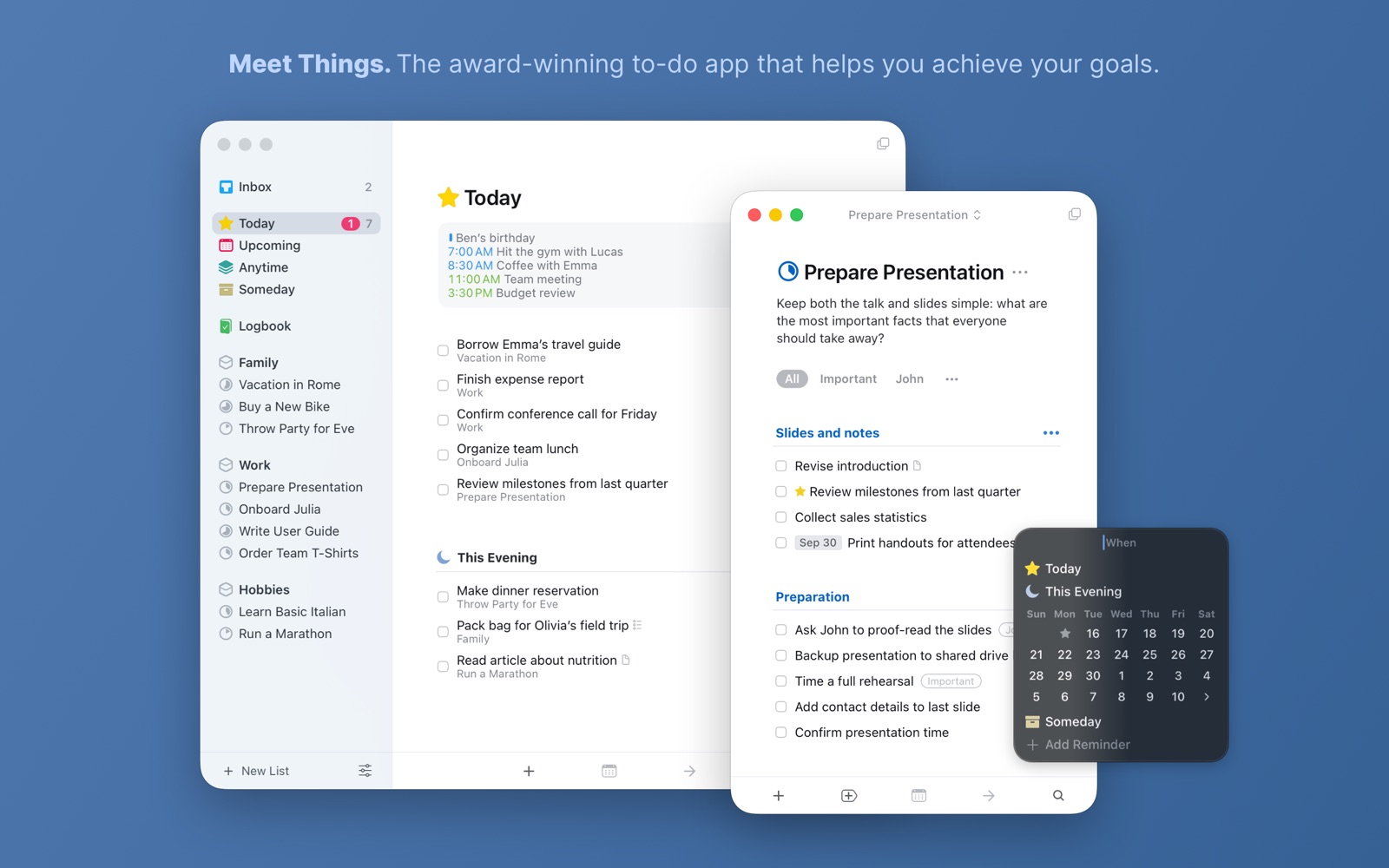
Things is our first pick for one person using Apple devices. Quick Entry is properly fast, the Today view stays calm, and the whole app behaves like it belongs on a Mac.
- Best for
- Personal planning on Mac and iPhone
- Price
- $34.99 on Mac during the current sale; normally $49.99
- Platforms
- Mac, iPhone, iPad, Watch, Vision Pro
Why it made the list
- Excellent keyboard capture
- The cleanest daily review here
- One-time purchase
The reason not to choose it
It has no Android, Windows or browser app, and it does not support shared lists. The Mac and iPhone apps are separate purchases.
Best free Mac app
Apple Reminders
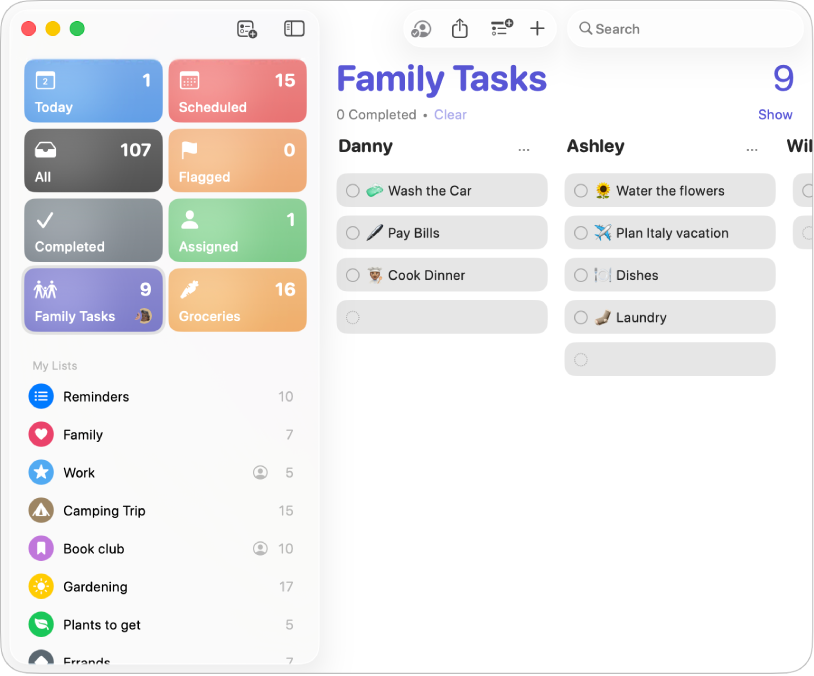
Start with Reminders if you already own a Mac and iPhone. It costs nothing extra, Siri capture is useful, and shared household lists are easier than asking everyone to adopt another app.
- Best for
- Simple personal and household lists
- Price
- Included with macOS and iOS
- Platforms
- Mac, iPhone, iPad, Watch, iCloud.com
Why it made the list
- Already installed
- Strong Siri and location reminders
- Shared lists without another account
The reason not to choose it
It gets awkward sooner than Things or OmniFocus when you review several large projects, and there is no proper Android app.
Best across Mac, Windows and Android
Todoist
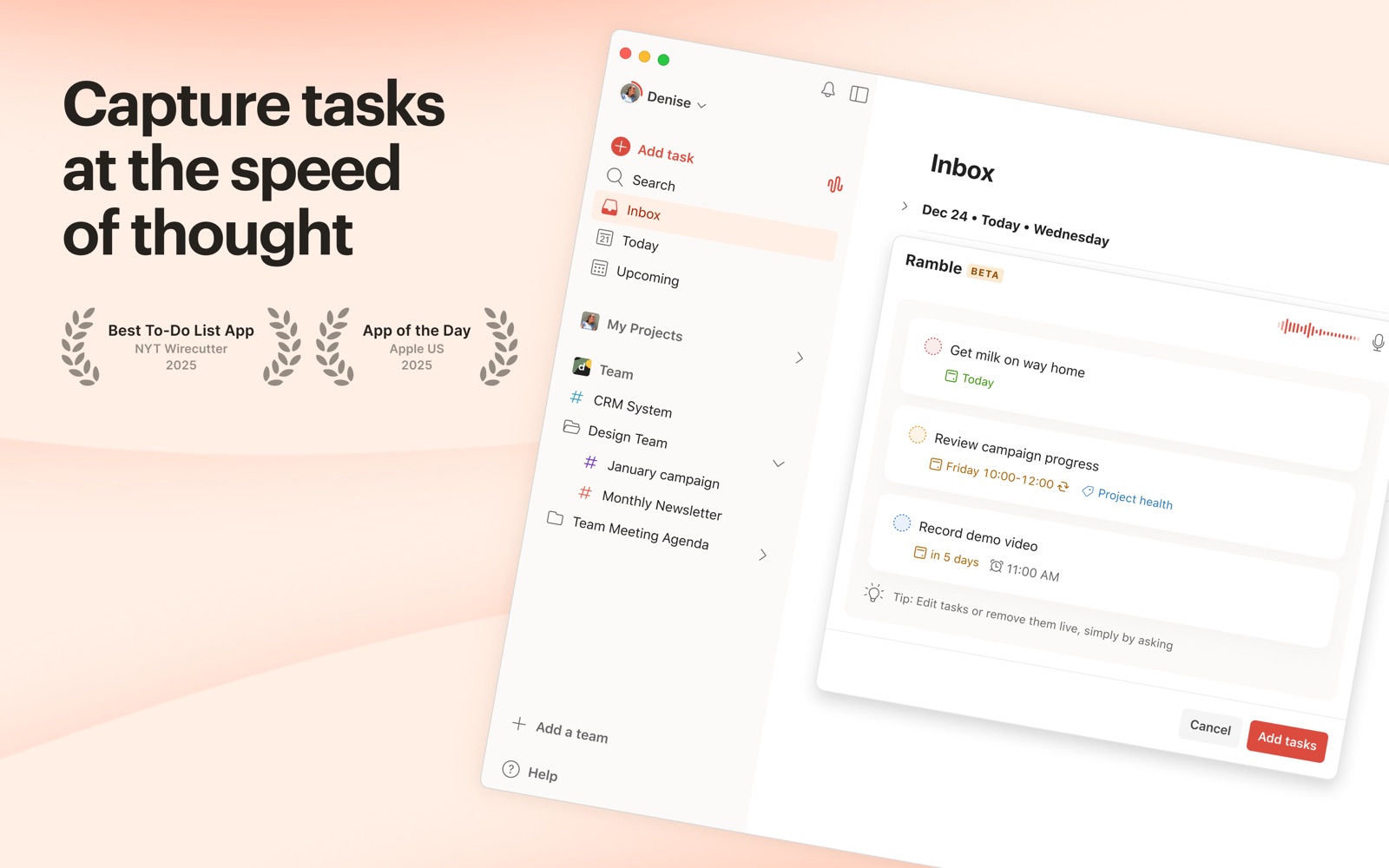
Todoist is the safer choice when your Mac is only one of several devices. Its global Quick Add is quick, shared projects are straightforward, and the same system follows you almost everywhere.
- Best for
- Mixed devices, shared work and fast capture
- Price
- Free; Pro is $60 a year or $7 monthly in the US
- Platforms
- Mac, iPhone, Windows, Android, Linux, web
Why it made the list
- Excellent natural-language capture
- Works on almost every platform
- Easy project sharing
The reason not to choose it
The free plan is useful but deliberately small, and the calendar layout, task duration and deeper filters sit in Pro.
Best tasks and calendar in one app
TickTick
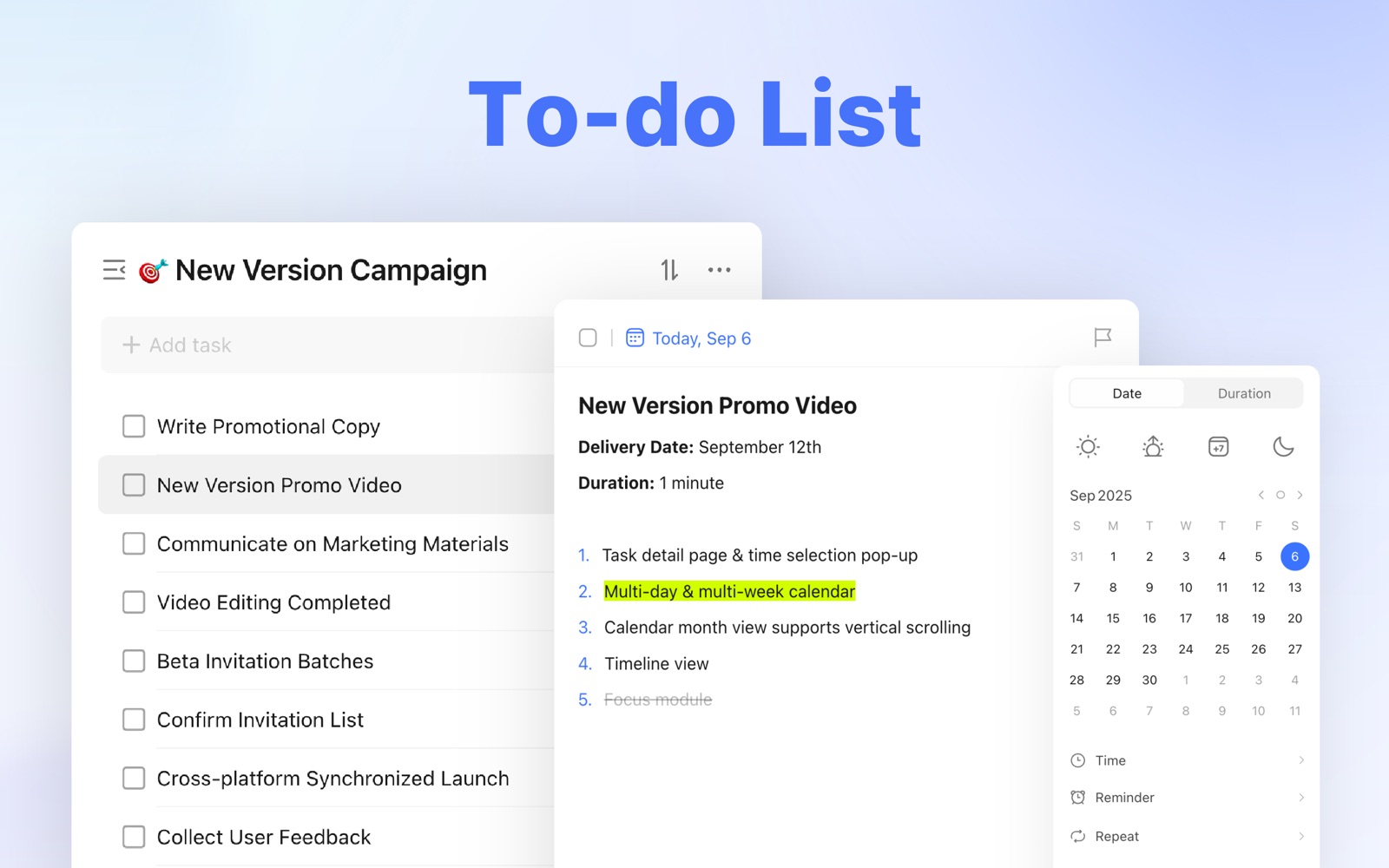
TickTick makes sense when the list is not enough. Its Mac app puts tasks beside a calendar, focus timer and habits, so you can decide when the work will happen without building a second system.
- Best for
- Time-blocking, habits and focus sessions
- Price
- Free; Premium is $49.99 a year in the US
- Platforms
- Mac, iPhone, Windows, Android, Linux, web
Why it made the list
- Useful calendar views
- Pomodoro timer built in
- Flexible recurring tasks
The reason not to choose it
There is a lot in the interface. If all you want is a short personal list, Things or Reminders is easier to live with.
Best for a serious GTD system
OmniFocus
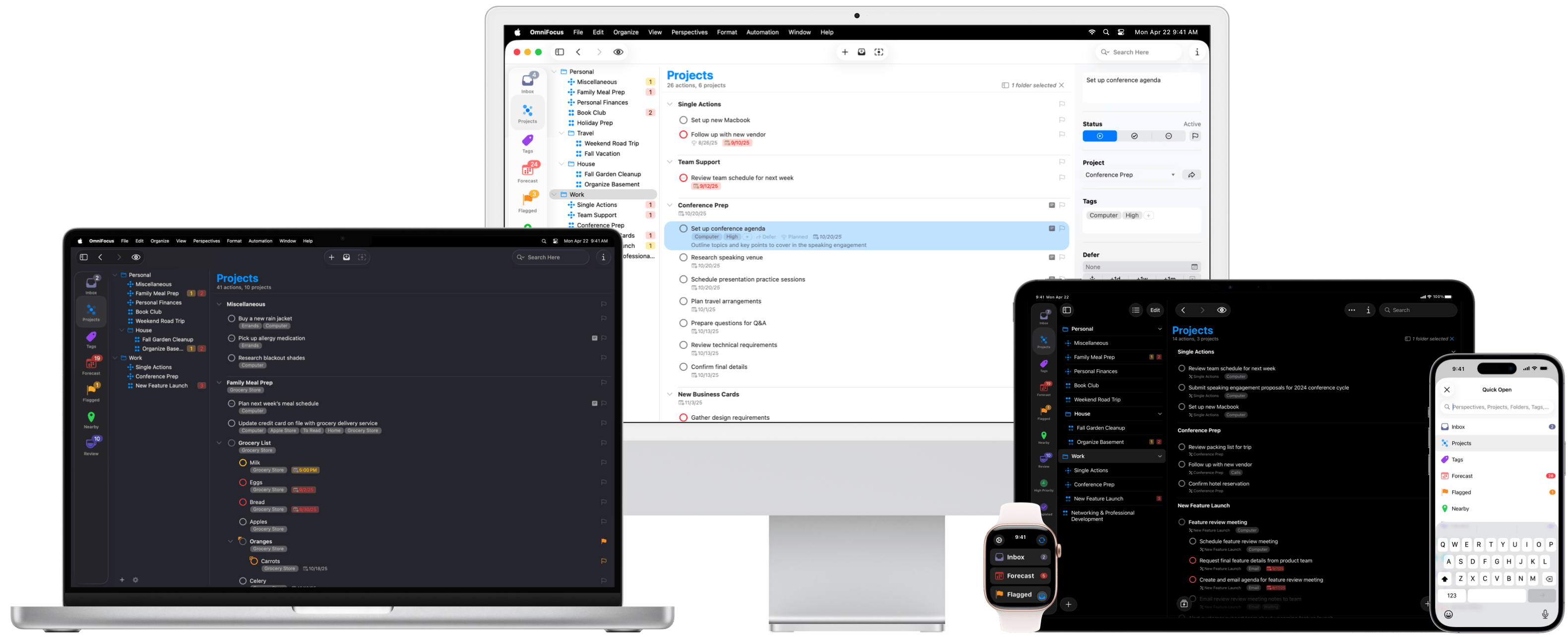
OmniFocus is the one to consider when a simple list has genuinely stopped being enough. Perspectives, review intervals and automation can keep a large personal workload inspectable.
- Best for
- Large personal systems and GTD reviews
- Price
- From $74.99 once; optional $99.99 yearly Pro subscription
- Platforms
- Mac, iPhone, iPad, Watch, Vision Pro, web companion
Why it made the list
- The deepest review tools here
- Custom perspectives
- Strong Mac automation
The reason not to choose it
It costs more, takes longer to learn and can turn list maintenance into work of its own. Most people do not need this much structure.
Best when tasks need their notes
NotePlan
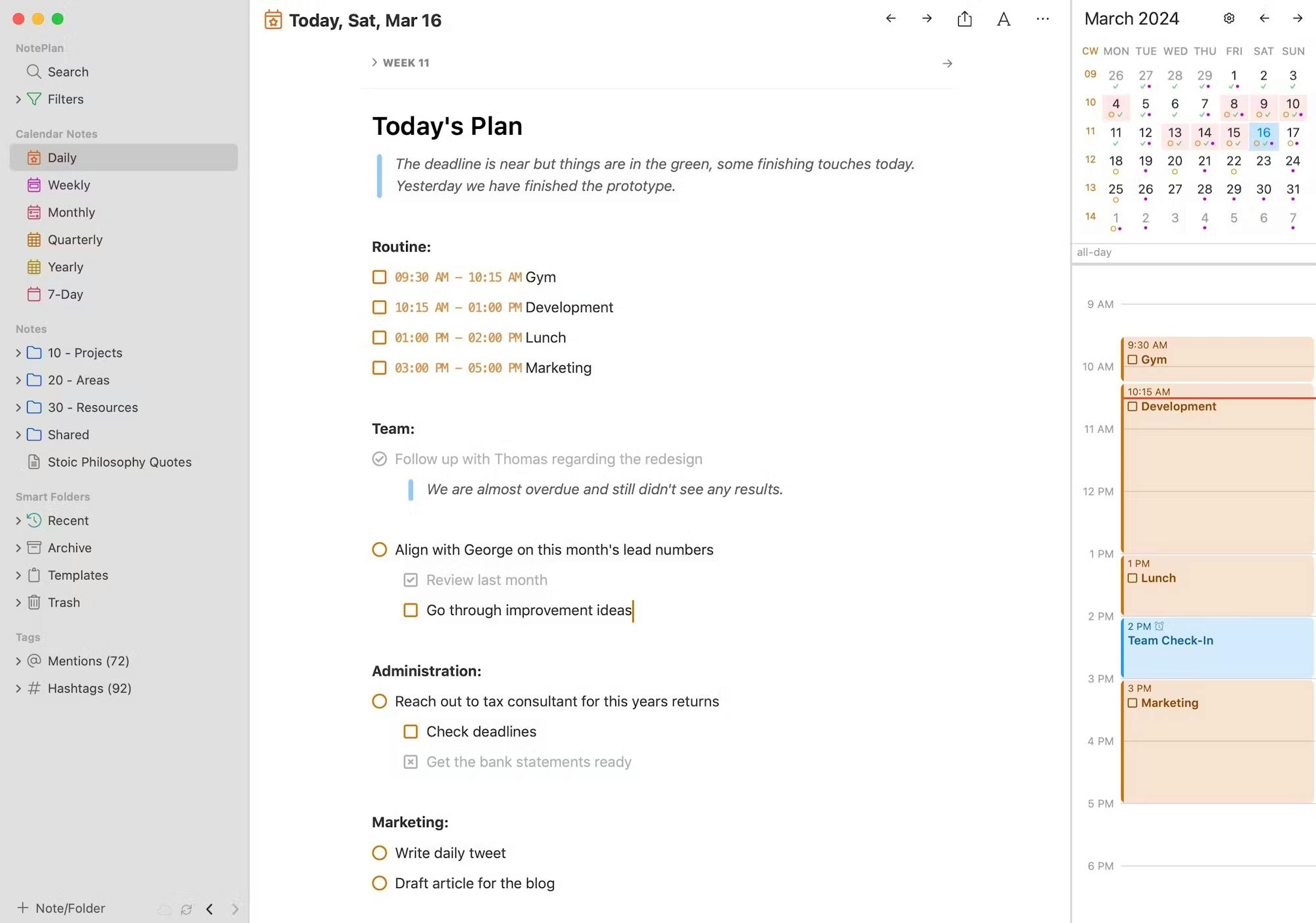
NotePlan keeps the task beside the meeting note, project page or daily plan that explains it. That is more useful than another isolated checkbox when most of your work begins in writing.
- Best for
- Daily notes, calendar planning and project context
- Price
- $99 a year or $12 monthly
- Platforms
- Mac, iPhone, iPad, web
Why it made the list
- Tasks live beside useful context
- Local Markdown files
- Calendar and reminders integration
The reason not to choose it
It is expensive for a plain task list and takes more thought to set up than Things, Reminders or Todoist.
What Mac users keep asking for
The feature list is rarely the real question.
We read recent Mac app discussions to see what people were actually trying to fix. These are anecdotes, not a vote, but the wording is useful.
That request points first to Reminders, then Things 3 if the built-in app feels too loose.
r/macapps · December 2025“Flexible and capable. No collaboration needed. Cost is secondary.”Things 3 fits the calmer version of that brief. OmniFocus fits the heavier one.
r/macapps · December 2025“A minimalist task manager for normal people.”The popularity of that phrasing is a useful warning: more features are not automatically more useful.
Narrow it down
Three more specific Mac guides
The broad ranking is useful only until you know which problem you are solving. These guides use a different shortlist for each job.
The 6 best free to-do list apps for Mac
What remains useful before any upgrade, plus the limits that eventually matter.
02 · Less setup, fewer screensThe 6 best simple to-do list apps for Mac
For people who want a written list on a screen, not a new productivity hobby.
03 · Tasks need actual timeThe 6 best daily planner apps for Mac
Calendar-led choices for time-blocking, estimating a day and repairing the plan.
The short answers
Common questions about Mac to-do apps
What is the best to-do list app for Mac?
Things 3 is our best overall pick for a person who uses Apple devices and does not need collaboration. It is fast from the keyboard, unusually calm to review and sold as a one-time purchase. Choose Todoist instead if you need Windows, Android, a browser app or shared projects.
What is the best free to-do list app for Mac?
Apple Reminders is the best free starting point for most Mac owners. It is built in, syncs with iPhone, works with Siri and supports shared lists. Todoist is the better free option when you need non-Apple devices.
Does a Mac already have a to-do list app?
Yes. Apple Reminders is included with macOS. It supports dates, times, locations, recurring reminders, tags, Smart Lists, sections and shared lists.
Which to-do app works best on both Mac and iPhone?
Things 3 is our favorite if both devices are personal Apple devices. Apple Reminders is the best free option. Todoist and TickTick are better if Windows or Android may also enter the picture.
Which Mac to-do app is best for time-blocking?
TickTick is the most straightforward all-in-one choice because tasks, calendar views and a focus timer share one app. NotePlan is better when the plan begins in daily notes. Our daily planner guide compares six options in more detail.
Evidence record
Where the facts and screens came from
Prices, platforms and feature limits come from the makers’ current pages. The screenshots are from official Mac App Store listings or product documentation. Reddit discussions help us notice real constraints, but do not set the ranking.
- 01OfficialThings for Mac product, pricing and trial informationView source
- 02OfficialApple Reminders User Guide for MacView source
- 03OfficialTodoist plans and Mac keyboard shortcutsView source
- 04OfficialTickTick plans and feature limitsView source
- 05OfficialOmniFocus 4 product and license informationView source
- 06OfficialNotePlan product and pricing informationView source
- 07CommunityTo do list app recommendations from r/macappsView source
- 08CommunityMac task manager recommendations from r/macappsView source