Independent app review · Evidence checked August 31, 2026
Google Tasks review 2026: when is simple too simple?
Google Tasks is most convincing when an email becomes a task and appears beside the calendar you already use. Away from Gmail and Calendar, it is a very small task manager with a ceiling you can reach in an afternoon.
 Google Tasks
Our take
Is it worth using?
Google Tasks is good enough for a short personal list inside Gmail and Google Calendar. It is free, quick and requires almost no setup. Choose Todoist for projects and filters, TickTick for calendar-led planning, or Microsoft To Do for more capable free shared lists.
Inside the apps
What they actually look like
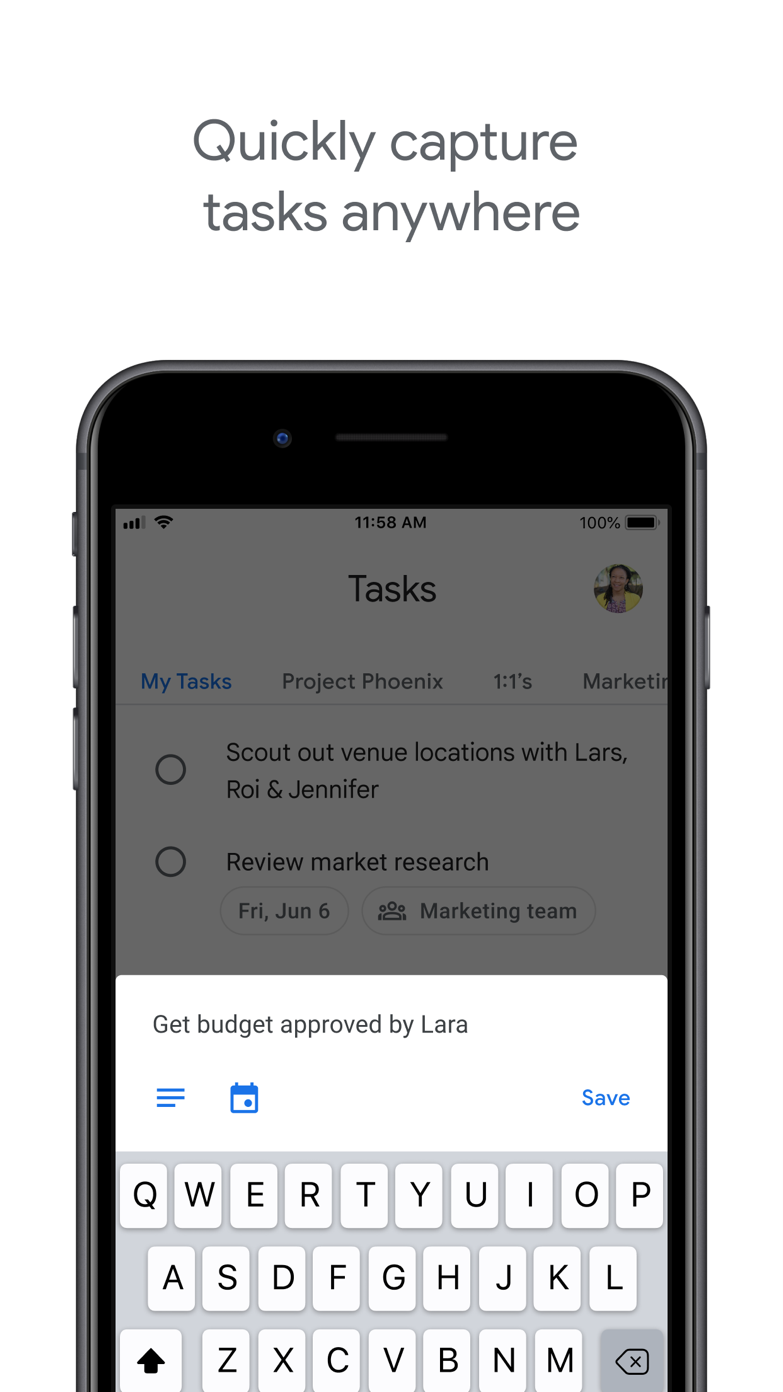
These screenshots come from the apps' current App Store listings. They are not mockups we made for the article.
What users report
What starts to matter after a week
We read recent reviews for Google Tasks to look for praise and friction that product pages leave out. They are anecdotes, not a vote, so they challenge our testing rather than decide the verdict.
One reviewer missed the old completion sound because it helped their ADHD. Another simply calls the app too basic. Both complaints are useful for such a minimal product.
The quick version
The differences that matter
- Best for
- Light personal tasks beside Gmail and Calendar
- Price
- Included with a Google account
- Main strength
- Very low friction inside Google Workspace
- Main weakness
- Few project, view and collaboration controls
- Recurring tasks
- Supported for ordinary schedules
- Best alternative
- Todoist or Microsoft To Do
Its best feature is being in the right place already
An email can become a task without copying its subject into another app. Dated tasks appear in Google Calendar, and the side panel keeps a short list close while you work in Gmail or Docs.
That convenience is easy to underestimate. A modest tool you actually see can beat a sophisticated one hidden in another tab.
The task model stays deliberately small
There are lists, dates, repeats, details and subtasks. That covers errands, follow-ups and a simple personal plan. The interface takes almost no time to learn because there is very little to configure.
There are also no serious custom views, rich project structures or the collaboration tools expected in a broader task manager. If you keep asking how to build a workflow in Google Tasks, you may already need another app.
Simple can be calming or strangely unsatisfying
One reviewer’s complaint is simply that the app is too basic. Another misses an old completion sound because that small cue helped their ADHD. Both comments show how much a minimal product depends on tiny interaction details.
Google Tasks is not trying to coach a planning method. It stores the action and date, then stays out of the way. That is a strength only if you already know how the list should be used.
It works better as a companion than a command center
For a person whose work begins in email and calendar, Tasks can hold the follow-ups without becoming a second workspace. It is particularly sensible when the list stays short and mostly personal.
A household, team or multi-project freelance workload needs clearer sharing and review. Microsoft To Do remains free and offers more list structure; Todoist is the larger step up when cross-platform projects matter.
Flaws, but not dealbreakers
The mobile app can feel almost empty, and important context often remains back in Gmail. People who rely on priorities, tags or custom filters will hit the limits quickly.
Those limits are not deceptive. Google Tasks is the easiest recommendation in this ranking to try and abandon. Use it for a week inside the Google tools you already open, and keep it only if the list remains pleasantly small.
Good to know
A few common questions
Is Google Tasks free?
Yes. It is included with a Google account and is available in Google Workspace products and dedicated mobile apps.
Does Google Tasks appear in Google Calendar?
Dated tasks can appear in Google Calendar, which is one of the strongest reasons to use the app.
Can Google Tasks replace Todoist?
Only for a light personal list. Todoist offers much deeper projects, capture, filters and collaboration.
Sources
Where we checked the facts
We use the app maker's own pages for prices and features. Reviews and community posts are useful for spotting problems, but one person's experience is still one person's experience.
- 01OfficialGoogle Tasks product pageView source
- 02Project docsUse Google Tasks in CalendarView source
- 03App StoreGoogle Tasks US App Store listing and reviewsView source