Independent app review · Evidence checked August 31, 2026
Microsoft To Do review 2026: the best free list for Microsoft users?
Microsoft To Do is free, works on the major platforms and fits naturally beside Outlook. It is not trying to be a miniature project-management suite. That restraint is useful until you need views or controls it simply does not provide.
 Microsoft To Do
Our take
Is it worth using?
Microsoft To Do is an easy recommendation for people who already live in Outlook or need a free shared list across iPhone, Android, Windows and the web. My Day is a pleasant way to choose a short daily list. Todoist is better for larger projects and faster advanced capture; Apple Reminders is better inside an all-Apple household.
Inside the apps
What they actually look like
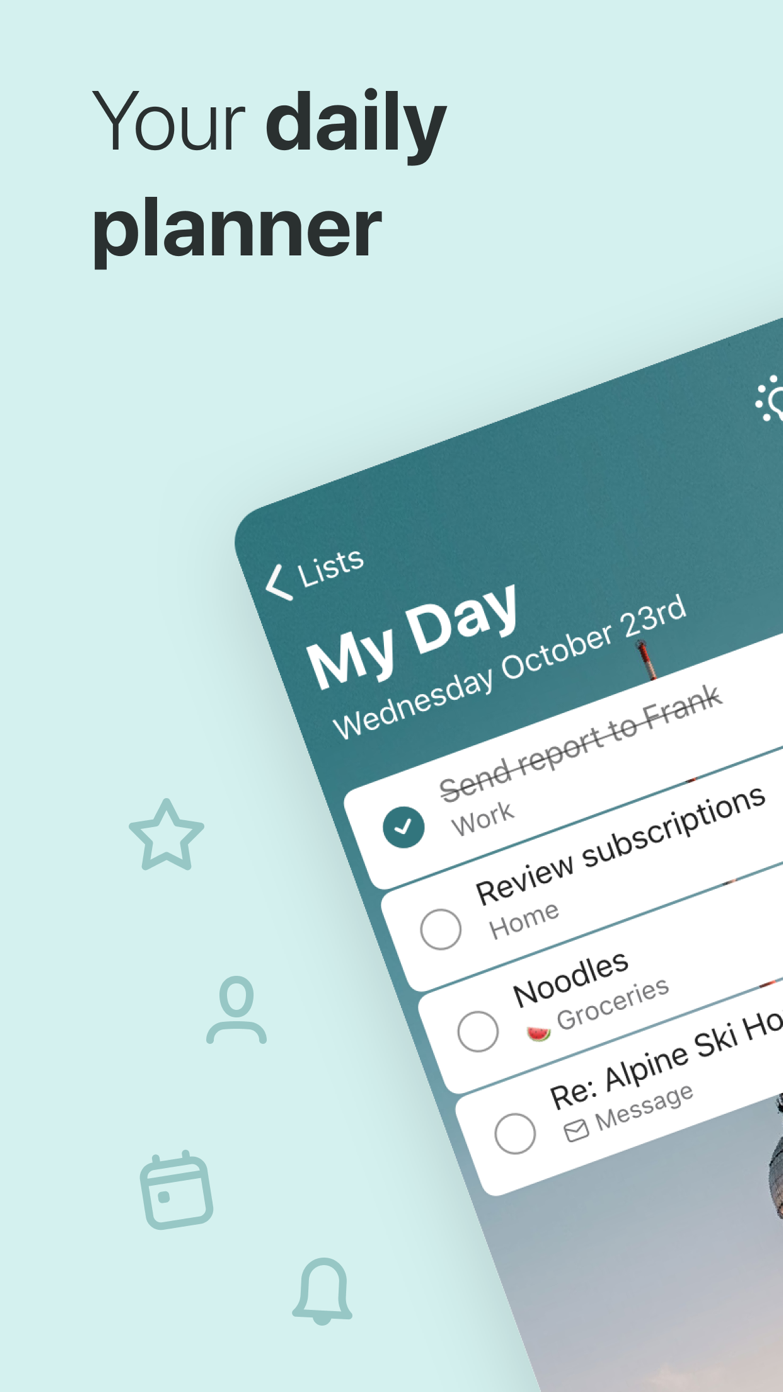
These screenshots come from the apps' current App Store listings. They are not mockups we made for the article.
What users report
What starts to matter after a week
We read recent reviews for Microsoft To Do to look for praise and friction that product pages leave out. They are anecdotes, not a vote, so they challenge our testing rather than decide the verdict.
One reviewer chose Microsoft To Do so an iPhone and Samsung household could share tasks. Other recent reviews complain about long-running bugs.
The quick version
The differences that matter
- Best for
- Free personal lists in a Microsoft-centered life
- Price
- Free with a Microsoft account
- Main strength
- My Day, Outlook tasks and broad device support
- Main weakness
- Limited project views and uneven feature depth
- Sharing
- Simple shared lists work well for households
- Best alternative
- Todoist for deeper projects; Reminders for Apple integration
My Day gives an old list a clean start every morning
My Day does not automatically make the entire backlog today’s problem. You choose a manageable set, finish what you can and begin again the next morning. Suggestions can bring forward tasks without dumping everything into view.
That small ritual is the best part of the app. It separates keeping a complete list from pretending the complete list fits into Tuesday.
Outlook users get the strongest reason to stay
Flagged Outlook email can appear as a task, and the same Microsoft account keeps lists available across work and personal devices. There is less setup than moving every follow-up into a separate productivity service.
The integration is not a reason to reorganize your life around Microsoft. It is a reason to try To Do first when Outlook already contains much of the work you need to remember.
Shared lists cover ordinary household jobs
A recent reviewer chose Microsoft To Do because an iPhone and Samsung household needed one shared place. That is exactly the sort of unglamorous requirement that matters more than a sophisticated filter builder.
Assignments, notes, steps and recurring tasks are enough for groceries, chores and a modest group list. Larger collaborative projects soon need clearer ownership, discussion and reporting than To Do provides.
The absence of power features keeps it approachable
There are lists, groups, important flags, due dates and repeats, but not the layers of views found in Todoist or OmniFocus. A new account therefore takes minutes to understand.
The same simplicity becomes a ceiling. People who need start dates, serious filters, calendar time blocking or rich project hierarchies will outgrow it rather than configure around it.
Flaws, but not dealbreakers
Recent reviews still mention bugs, and some capabilities differ between platforms. That is particularly frustrating in an app whose appeal is being available almost everywhere.
For a free list, the overall package remains generous. Try it if Microsoft is already part of the day. Move only when you can name the project or planning feature that is missing.
Good to know
A few common questions
Is Microsoft To Do completely free?
Yes. It requires a Microsoft account but does not have a paid personal tier.
Does Microsoft To Do work with Outlook?
Yes. It can surface tasks and flagged email connected to the same Microsoft account.
Is Microsoft To Do better than Todoist?
It is better on price and Microsoft integration. Todoist is stronger for larger projects, filters, capture and collaboration.
Sources
Where we checked the facts
We use the app maker's own pages for prices and features. Reviews and community posts are useful for spotting problems, but one person's experience is still one person's experience.
- 01OfficialPlan and connect with Microsoft To DoView source
- 02OfficialMicrosoft To Do product pageView source
- 03App StoreMicrosoft To Do US App Store listing and reviewsView source