Independent app review · Evidence checked August 31, 2026
Structured review 2026: a better day planner for visual thinkers?
Structured turns the day into a vertical timeline, with tasks and calendar events occupying visible space. That one choice can be more useful than a hundred extra project features if your real problem is believing that twelve tasks will fit between lunch and five o’clock.
 Structured
Our take
Is it worth using?
Structured is one of the clearest ways to see a day on a phone. It is especially helpful when time feels abstract or long lists become paralysing. It is not a strong choice for deep project planning, complex collaboration or people who want priorities to drive the day automatically.
Inside the apps
What they actually look like
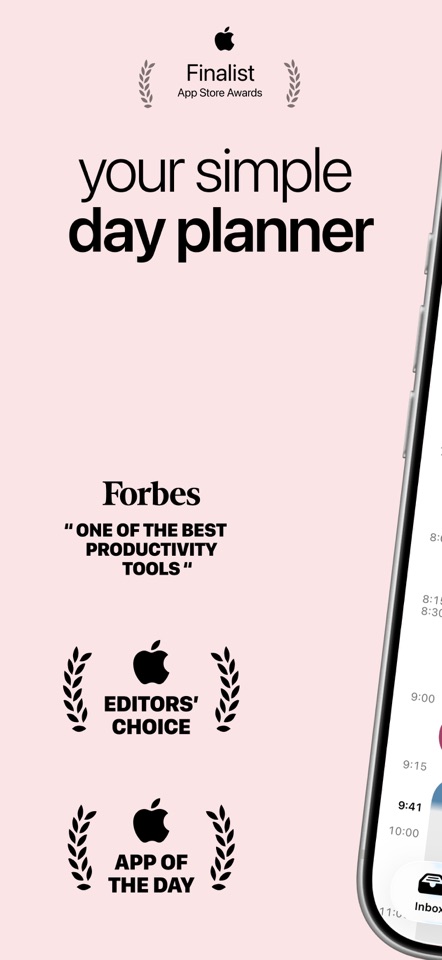
These screenshots come from the apps' current App Store listings. They are not mockups we made for the article.
What users report
What starts to matter after a week
We read recent reviews for Structured to look for praise and friction that product pages leave out. They are anecdotes, not a vote, so they challenge our testing rather than decide the verdict.
Reviews split on the same design choice we noticed. Some people love shaping the day visually and using the focus tools. Others cannot get past the lack of ordinary task priorities. If priority flags run your day, that is not a small omission.
The quick version
The differences that matter
- Best for
- Visual daily planning and seeing time
- Price model
- Free download with an optional Pro upgrade
- Main strength
- A readable timeline that exposes an overfilled day
- Main weakness
- Shallow project structure and no conventional priority system
- Platforms
- Apple platforms, Android and web support vary by feature
- Best alternative
- TickTick for deeper tasks; Tiimo for guided routines
The timeline makes an unrealistic day obvious
A normal task list gives every item one line, whether it takes two minutes or two hours. Structured gives work a place on the day. Six tasks can stop looking equally possible once the calendar events and durations are visible beside them.
This is the app’s strongest argument. You do not need a complicated productivity method to understand that the empty space between two meetings is too small for a ninety-minute job.
Adding a task is simple, but organizing a project is not the point
The inbox catches tasks before they have a time, and the timeline lets you decide where they belong later. That works well for errands, study sessions, appointments and a short daily plan.
It works less well when a project has dozens of actions, dependencies, shared responsibilities or several useful views. Structured is a day planner first. Trying to turn it into OmniFocus or Todoist mostly exposes what it deliberately leaves out.
The visual approach can help, but it is not a medical treatment
Structured is often recommended to people with ADHD because it externalises time and reduces a day to a sequence. That can be genuinely useful, particularly for transitions and tasks that need a visible start.
No layout works for everyone. A recent reviewer likes the flexibility and focus tools, while another says the lack of priorities breaks their planning method. Those are not contradictory experiences. They are a reminder to choose the friction you actually need help with.
Pro is for people who keep using the timeline
The free download is enough to learn whether a timeline changes how you plan. Do not pay because the upgraded screen lists more features. Pay after you have used the basic day view through a busy week and miss a specific Pro capability.
If you keep retreating to a conventional list, TickTick is the more capable compromise. If routines and step-by-step transitions matter more than free-form tasks, Tiimo deserves a look.
Flaws, but not dealbreakers
The app can make a beautifully arranged day that still falls apart when one meeting runs long. Moving blocks is easier than rewriting a list, but the plan still needs your judgment. It also offers less depth for projects than its polished interface first suggests.
Those limits are acceptable if you want a truthful picture of today, not a permanent database for every commitment in your life. Structured earns its place by doing one important job unusually well.
Good to know
A few common questions
Is Structured good for ADHD?
Its visual timeline can help people who struggle to sense time or sequence a day, but it is not a clinical treatment and will not suit every planning style.
Can Structured replace Todoist?
For a small personal list, possibly. Todoist remains stronger for projects, collaboration, filters and mixed-device work.
Is Structured free?
It is free to download and use at a basic level, with an optional Pro upgrade for additional capabilities.
Sources
Where we checked the facts
We use the app maker's own pages for prices and features. Reviews and community posts are useful for spotting problems, but one person's experience is still one person's experience.
- 01OfficialStructured product informationView source
- 02App StoreStructured US App Store listingView source
- 03App StoreRecent Structured US App Store reviewsView source