App review · Version evidence checked August 31, 2026
TickTick review 2026: brilliant all-in-one or too much app?
TickTick combines a task list, calendar, habit tracker and focus timer. That can save you from juggling several apps, or leave you staring at tools you never asked for.
 TickTick
Our take
Is it worth using?
TickTick is our favorite all-in-one option for people who plan tasks on a calendar and use habits or focus sessions. If you only want a quiet list, Todoist, Things 3 or Reminders will feel simpler. Premium is worth considering when it replaces another paid app, not merely because the free plan shows an upgrade button.
Inside the apps
What they actually look like
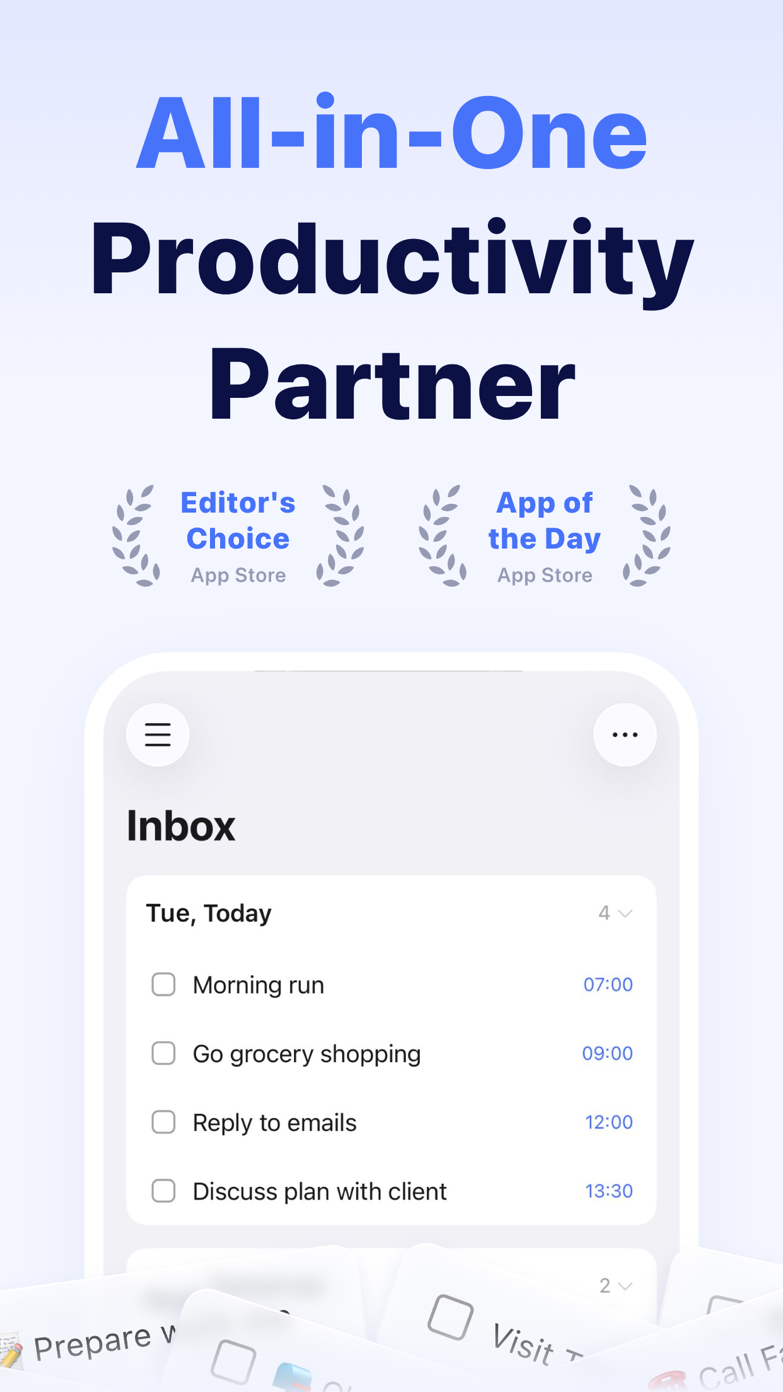
These screenshots come from the apps' current App Store listings. They are not mockups we made for the article.
What users report
What starts to matter after a week
We read recent reviews for TickTick to look for praise and friction that product pages leave out. They are anecdotes, not a vote, so they challenge our testing rather than decide the verdict.
US reviewers repeatedly mention the Pomodoro timer, reminders and help with executive function. The common complaint is how much of the app sits behind Premium.
The quick version
The differences that matter
- Best for
- Calendar-led planning, habits and focus
- Premium price
- $49.99/year on the US web plan
- Main strength
- Several useful planning modes in one account
- Main weakness
- A busy interface and a lot of settings
- Best alternative
- Todoist for restraint; Things 3 for Apple-only planning
- Platforms
- Major mobile, desktop and web platforms
The calendar is the reason to choose TickTick
Most task apps can display a date. TickTick goes further by putting tasks into a calendar, where you can drag them around and see whether the day actually fits.
The built-in focus timer completes that loop. You can plan a task and start working on it without moving between a list, calendar and timer.
One app can still feel like four apps
Habits, notes, filters, an Eisenhower Matrix and Pomodoro controls make TickTick unusually capable. They also give a new user more screens, settings and terminology to learn than Todoist or Reminders.
TickTick feels much better after you hide the modules you do not use. That bit of cleanup is worthwhile, but it shows why the app can feel overwhelming at first.
The ordinary task manager underneath is better than the feature list suggests
TickTick is often sold through its extras, but capture, repeating tasks and list views are solid enough to use without the habit tracker or focus timer. Natural-language entry is quick, and the inbox gives unsorted thoughts somewhere sensible to land.
Sharing is less immediately legible than it is in Todoist, and the number of controls can make a simple list feel more technical than it needs to. That matters if the other person in a shared list has no interest in productivity software.
Premium makes sense when it replaces another subscription
Pay when TickTick replaces a separate calendar planner, habit tracker or focus timer. A longer list of features is not useful if you never open them.
Todoist is easier to share and quicker to add to. Things 3 is calmer. TickTick is the better buy when having everything together is what you wanted.
Flaws, but not dealbreakers
The interface can feel crowded, especially during the first week. A setting may exist without being where you expect it, and the difference between the free and paid experience is not always obvious until you try a particular view.
The solution is to remove unused tabs and judge the app on one normal week, not on the settings screen. If the calendar and timer become part of that week, the density earns its keep. If they do not, a quieter app is the better choice.
Good to know
A few common questions
Is TickTick free?
TickTick has a useful free tier. Advanced calendar and other planning features are part of Premium.
Is TickTick Premium worth it?
It is most worthwhile for people using calendar planning, habits or focus sessions. A simple task list does not need the whole subscription.
Is TickTick better than Todoist?
TickTick offers more integrated tools. Todoist is calmer, quicker to capture into and generally easier to share with others.
Sources
Where we checked the facts
We use the app maker's own pages for prices and features. Reviews and community posts are useful for spotting problems, but one person's experience is still one person's experience.
- 01OfficialTickTick featuresView source
- 02OfficialTickTick Premium comparisonView source
- 03CommunityLong-time Todoist user explains switchingView source