Two free defaults compared · Checked August 31, 2026
Apple Reminders vs Google Tasks: the best default app for your ecosystem
Both apps are free, simple and built into a larger ecosystem. Reminders works best around iPhone and Siri; Google Tasks makes the most sense beside Gmail and Google Calendar.
 Apple Reminders
 Google Tasks
Our take
Which one should you pick?
Choose Reminders if you use Apple devices, share household lists or rely on Siri and location alerts. Choose Google Tasks if most of your tasks begin in Gmail and you plan in Google Calendar. Neither is a great fit for large projects, so use the one already closest to your work.
Inside the apps
What they actually look like
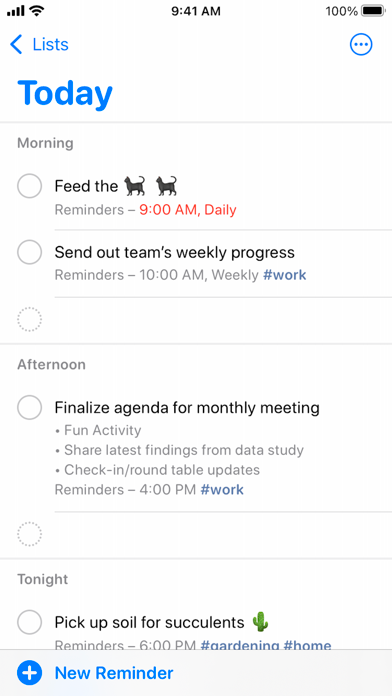
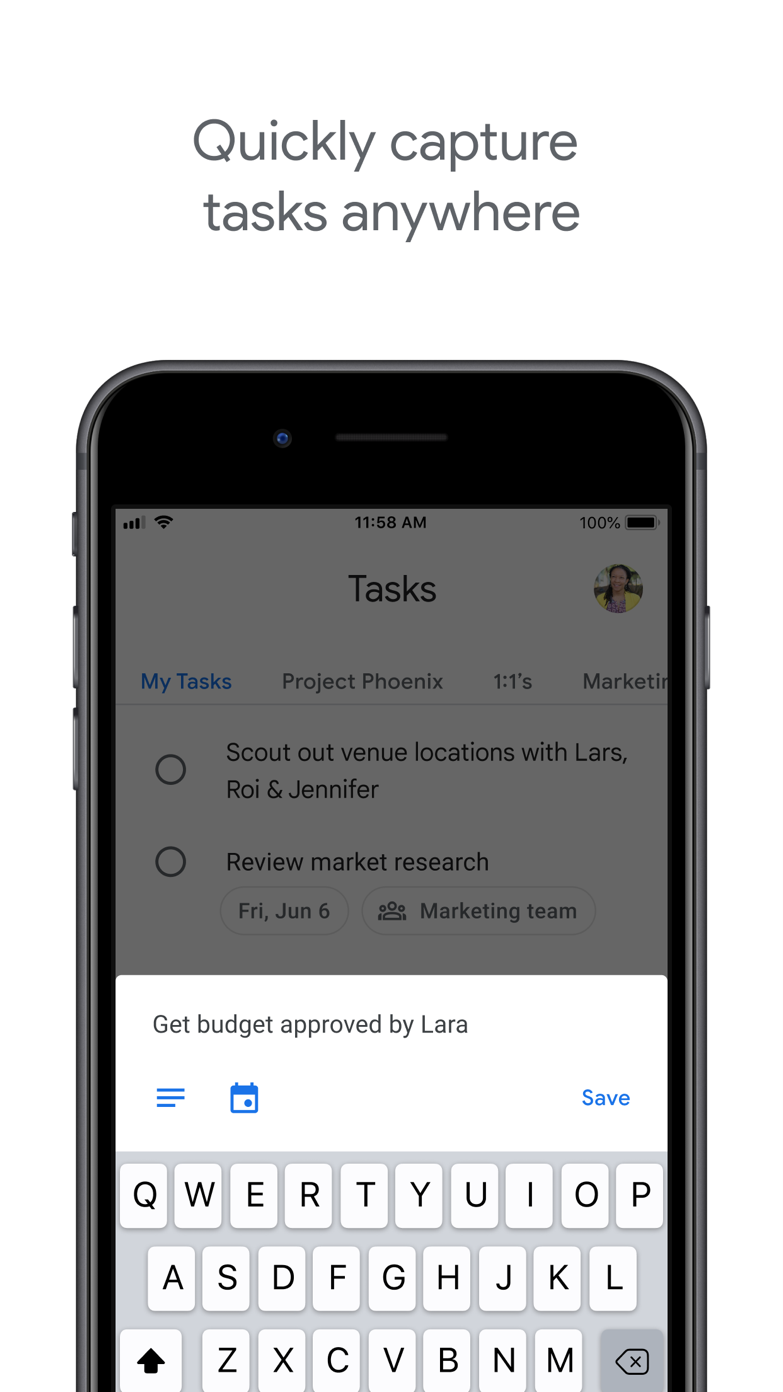
These screenshots come from the apps' current App Store listings. They are not mockups we made for the article.
The quick version
The differences that matter
- Siri and location alerts
- Apple Reminders
- Gmail proximity
- Google Tasks
- Google Calendar proximity
- Google Tasks
- Tags and Smart Lists
- Apple Reminders
- Shared household lists
- Apple Reminders
- Android access
- Google Tasks
Where do your tasks usually come from?
Google Tasks is best when an email becomes an action. It sits inside Google products and puts dated tasks in Calendar, so the list stays close to where many people already work.
Reminders is better when a task arrives by voice, place or another person. Siri and shared Apple lists are particularly useful away from a desk.
Reminders can handle a little more complexity
Reminders has tags, Smart Lists, sections, templates and automatic grocery grouping. Google Tasks stays much more basic, which makes it easy to scan and easy to outgrow.
Neither is a strong cross-platform project manager. Their main appeal comes from the Apple or Google services around them, so your devices matter more than a small feature difference.
There is nothing unsophisticated about using the default
Productivity advice often makes a third-party app sound like an upgrade. It may not be. If the default is quick, shows up where you need it and syncs reliably, replacing it creates work.
Move only when you can name the missing feature: sharing, filters, project reviews, better repeating rules or access on another platform. A more serious-looking icon is not a reason to switch.
Good to know
A few common questions
Is Apple Reminders better than Google Tasks?
It is more capable on Apple devices. Google Tasks is the more natural choice for Gmail, Google Calendar and Android users.
Can Google Tasks be shared?
Google Tasks is primarily a personal task list. Apple Reminders has clearer shared-list support for households.
Which app is free?
Both are included with their respective Apple or Google accounts and ecosystems.
Sources
Where we checked the facts
We use the app maker's own pages for prices and features. Reviews and community posts are useful for spotting problems, but one person's experience is still one person's experience.
- 01OfficialGet started with Reminders on iPhoneView source
- 02OfficialGoogle Tasks product pageView source
- 03App StoreApple Reminders US App Store listingView source