Paid all-rounder versus free system app · Checked August 31, 2026
Todoist vs Apple Reminders: is the subscription still worth it?
Reminders now handles tags, sections, shared lists and recurring tasks for free. Todoist still does more, but the gap is small enough that Apple users should ask whether they need it.
 Todoist
 Apple Reminders
Our take
Which one should you pick?
Start with Reminders if you use Apple devices and mainly manage personal or household lists. It is better with Siri and location alerts. Move to Todoist when you need the same system on Windows or Android, share work projects, or regularly need filters and stronger project organization.
Inside the apps
What they actually look like
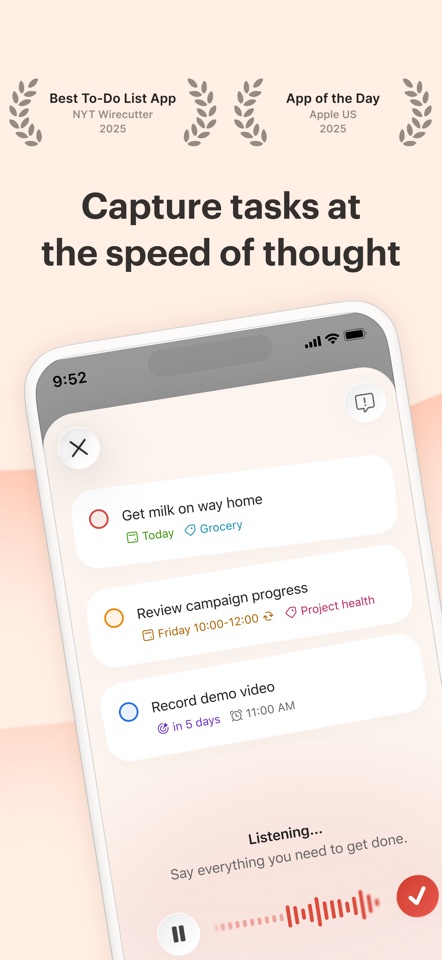
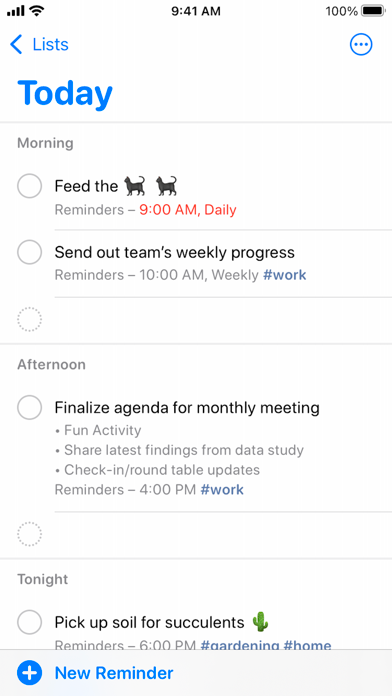
These screenshots come from the apps' current App Store listings. They are not mockups we made for the article.
The quick version
The differences that matter
- Best free option on Apple
- Apple Reminders
- Cross-platform support
- Todoist
- Voice and location reminders
- Apple Reminders
- Projects, filters and integrations
- Todoist
- Household sharing
- Apple Reminders
- Team and mixed-device sharing
- Todoist
Reminders is better when your hands are full
Many reminders occur to you while typing is inconvenient. Siri and location alerts give Apple Reminders a real advantage for groceries, errands and family lists.
Todoist is faster when you are already at a keyboard. One line can include a date, priority and project, and the same syntax works on phones, computers and the web.
Todoist handles bigger project lists better
Apple has added tags, sections and Smart Lists, so calling Reminders a toy is outdated. It starts to feel awkward when you have many projects, need several different views or share work with people outside Apple.
Todoist handles that larger setup better with projects, labels, filters and integrations. Those tools can also create busywork. A personal list with six active items does not need a custom filter.
Try this before you subscribe
Use Reminders for a week with separate lists, tags and a Today Smart List. If adding tasks is still the problem, Todoist may not change much. If finding the right tasks across several projects and devices is the problem, it probably will.
Do not subscribe because Todoist wins lots of roundups. Subscribe when you can name the Reminders annoyance it removes.
Good to know
A few common questions
Is Todoist better than Apple Reminders?
Todoist is better for cross-platform projects and structured work. Apple Reminders is better for free Apple-native capture, location alerts and household lists.
Can Todoist replace Apple Reminders?
For most typed tasks, yes. Apple Reminders remains more convenient for Siri, location triggers and system-level Apple workflows.
Is Todoist Pro necessary for personal use?
Not automatically. The free plan can run a modest personal system. Pro makes more sense when calendar layout, deadlines and custom reminders matter.
Sources
Where we checked the facts
We use the app maker's own pages for prices and features. Reviews and community posts are useful for spotting problems, but one person's experience is still one person's experience.
- 01OfficialTodoist plans, pricing, and billing FAQView source
- 02OfficialGet started with Reminders on iPhoneView source
- 03CommunityApple Reminders as a main productivity appView source