Cross-platform task managers compared · Checked August 31, 2026
Todoist vs Microsoft To Do: paid polish or a capable free list?
Microsoft To Do costs nothing and works neatly with Outlook. Todoist is quicker, more flexible and better once a simple list turns into several projects.
 Todoist
 Microsoft To Do
Our take
Which one should you pick?
Choose Microsoft To Do if your work already lives in Outlook and you like choosing a fresh My Day list each morning. Choose Todoist if tasks arrive from lots of places, you need better project views or you share work outside Microsoft 365. To Do is enough for a straightforward list; Todoist is easier to grow into.
Inside the apps
What they actually look like
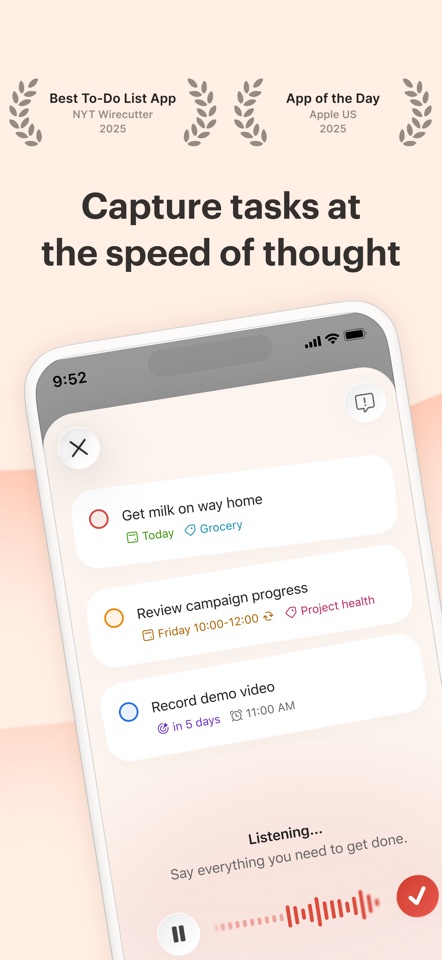
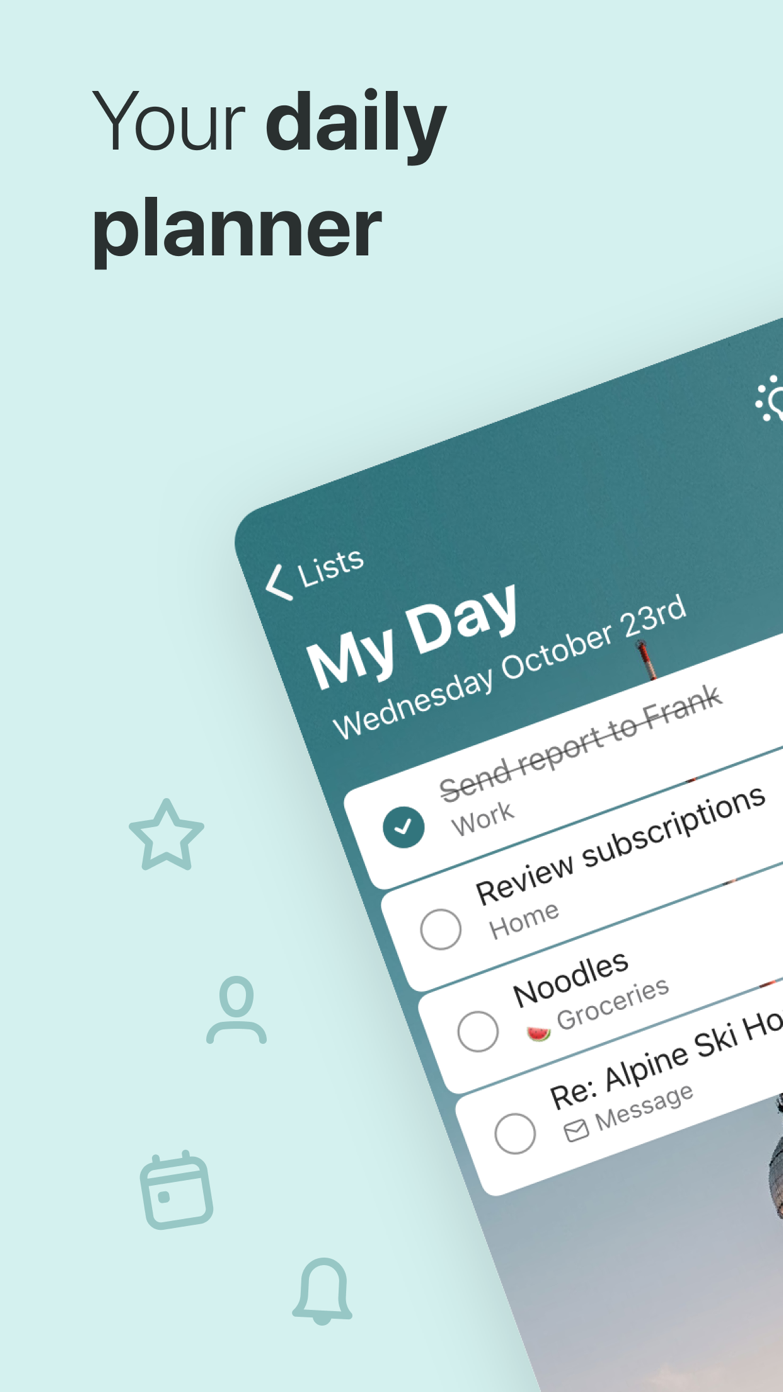
These screenshots come from the apps' current App Store listings. They are not mockups we made for the article.
The quick version
The differences that matter
- Lowest cost
- Microsoft To Do
- Natural-language capture
- Todoist
- Outlook integration
- Microsoft To Do
- Project structure and filters
- Todoist
- Clean daily reset
- Microsoft To Do
- Broader integrations
- Todoist
My Day is the best reason to use Microsoft To Do
My Day starts empty. You choose what belongs there, while unfinished work appears as a suggestion instead of a wall of red overdue tasks. It is a small idea, but it makes a missed day easier to recover from.
Flagged Outlook email can also become editable tasks. If your workplace already uses Microsoft 365, To Do feels less like a new tool and more like another view of work you already have.
Todoist is better once work comes from more than Outlook
Todoist is quicker to add to and copes better when one list becomes many projects. Labels, filters and integrations also make sense beyond a Microsoft account.
That extra range costs money once you want Pro. If all you need is a few lists, reminders and a clean page each morning, Microsoft To Do may already solve the problem.
Start with the inbox where your work already arrives
If most work arrives in Outlook, try Microsoft To Do first. If tasks come from browsers, messages, your phone and several personal projects, Todoist is usually easier to keep organized.
Neither app can make an overloaded list realistic. My Day is better at choosing a small plan for today; Todoist is better at finding the right item in a larger collection.
Good to know
A few common questions
Is Microsoft To Do as good as Todoist?
For simple free lists and Microsoft 365 workflows, it can be. Todoist is stronger for capture, integrations and complex project views.
Does Microsoft To Do cost anything?
Microsoft To Do is available free with a Microsoft account.
Can Todoist show flagged Outlook emails?
Todoist has email and integration workflows, but Microsoft To Do has the more direct native relationship with flagged Outlook email.
Sources
Where we checked the facts
We use the app maker's own pages for prices and features. Reviews and community posts are useful for spotting problems, but one person's experience is still one person's experience.
- 01OfficialTodoist plans, pricing, and billing FAQView source
- 02OfficialPlan and connect with Microsoft To DoView source
- 03App StoreMicrosoft To Do US App Store reviewsView source