Mac daily planning guide · Checked September 3, 2026
The 6 best daily planner apps for Mac in 2026
A task list remembers the work. A daily planner has to admit that the work needs hours, meetings will take some of them, and the afternoon may not happen as neatly as the morning predicted.
 TickTick
 Sorted³
 Structured
 NotePlan
 Sunsama
 Morgen
Our take
Where we would start
TickTick is the safest all-in-one place to start because its Mac app keeps tasks, calendar views and a focus timer together. Sorted³ is better for an Apple-only timeline with automatic rearranging. Choose NotePlan when tasks need the daily notes around them, Sunsama when you want a deliberate morning planning ritual, and Morgen when several calendars are the main source of confusion.
Inside the apps
What they actually look like
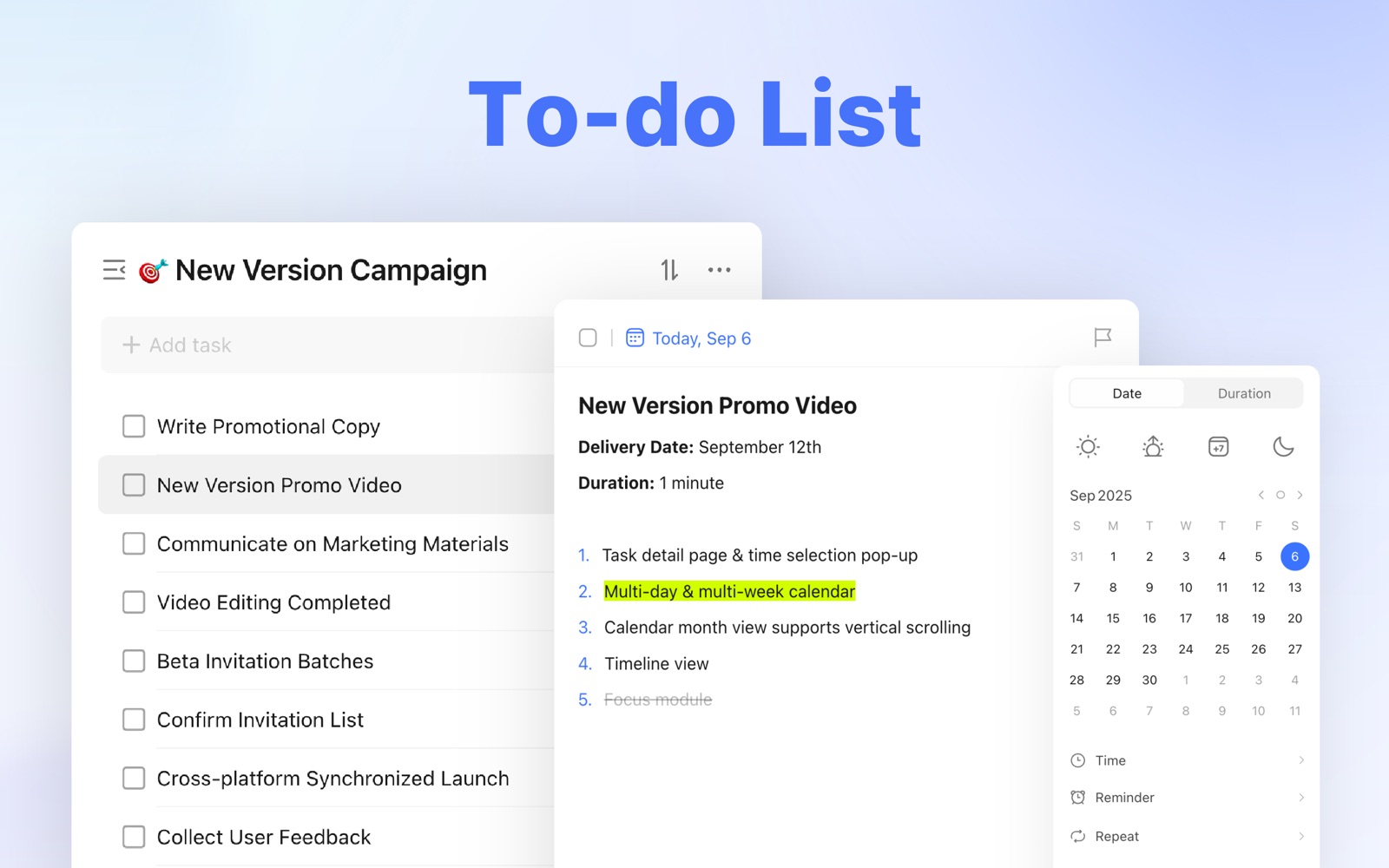
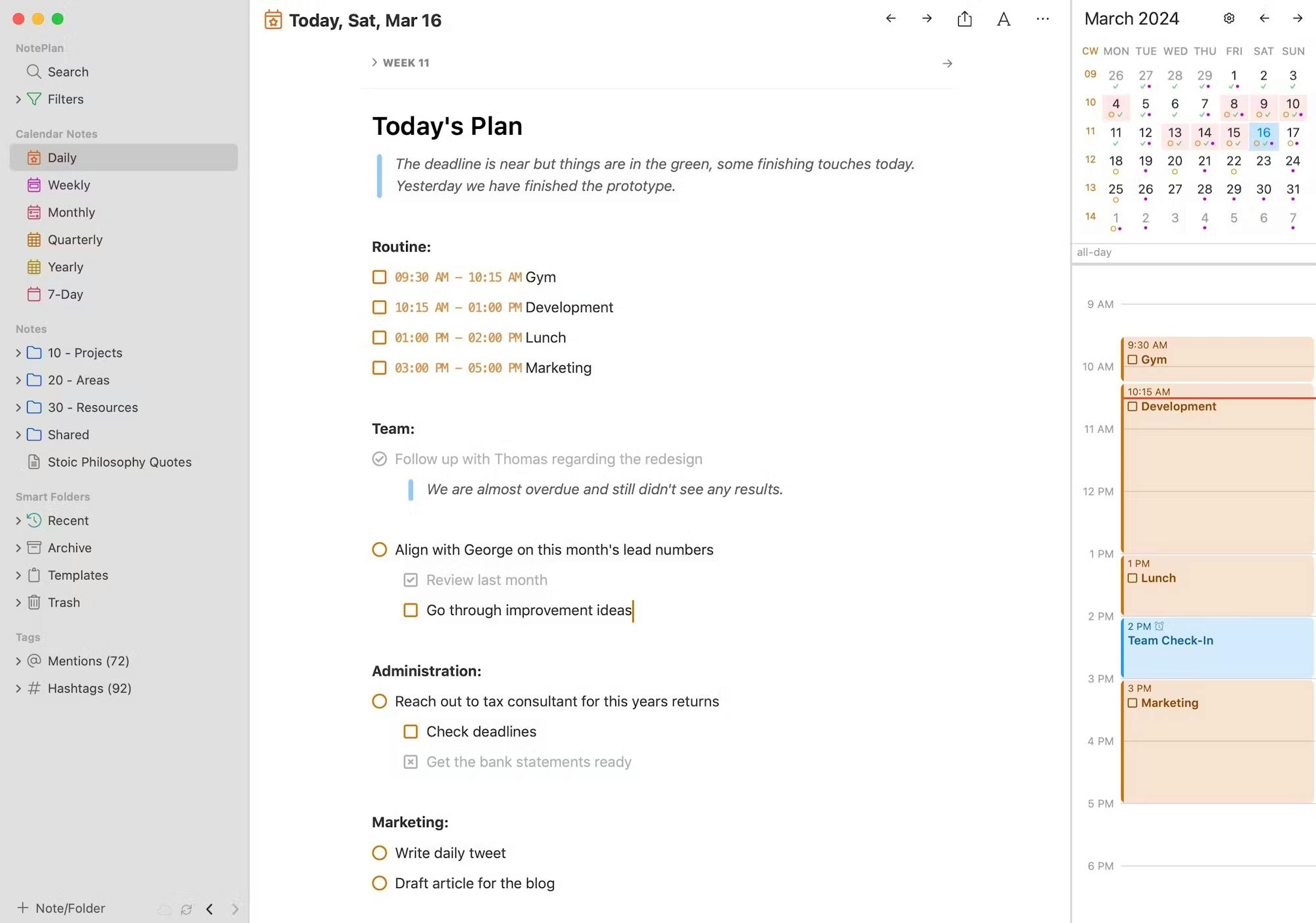
These are genuine Mac interfaces from official product pages, documentation or Mac App Store listings. No phone screens are substituted here.
The quick version
The differences that matter
- TickTick
- Best all-in-one task list and calendar
- Sorted³
- Best Apple-only automatic day planner
- Structured
- Best simple visual timeline
- NotePlan
- Best when daily tasks need notes
- Sunsama
- Best guided morning planning ritual
- Morgen
- Best for planning across several calendars
TickTick is the easiest move from a normal to-do list
TickTick begins as a recognizable inbox and set of lists. The calendar can then show those tasks beside fixed events, with durations and focus sessions available when you need them. You do not have to move the whole system into a calendar on day one.
The cost of that flexibility is density. Habits, Eisenhower views, Pomodoro and several calendar modes all compete for space. It is the best general answer here, but not the quietest one.
Sorted³ and Structured make the hours visible in different ways
Sorted³ combines tasks and events on a timeline, then its Hyper-Schedule feature can arrange open work around fixed commitments. It is useful when the order can change, but every automated plan still depends on honest duration estimates.
Structured is easier to read and less ambitious. Tasks sit on a visual day, which makes an overfilled afternoon obvious. It gives less support for large projects and complex rescheduling, so use it when seeing today is more important than managing an archive.
NotePlan starts with the day and the notes around it
NotePlan places a dated note beside calendars and tasks. A meeting can create three actions without separating those actions from the decisions that explain them. That is particularly useful for writing, research and project work.
It costs much more than a plain list and can become a workspace rather than a planner. If tasks rarely need context, Things or TickTick asks for less thought.
Sunsama makes planning a ritual; Morgen makes calendars negotiable
Sunsama deliberately walks through the day. You pull in work, estimate it, place it around meetings and stop when the hours are full. The routine can be valuable for an overloaded professional, but the subscription is hard to justify if you will skip that ritual.
Morgen is more calendar-led. Its strength is combining several calendars and bringing tasks into the gaps between them. It is a better fit when availability is fragmented across work and personal accounts rather than held in one clean calendar.
Judge the planner by what happens at 2:30, not 8:00
Almost every planner looks convincing before the day begins. Move a meeting, let one task run long and leave another unfinished. Then see whether repairing the afternoon takes seconds or becomes another planning session.
A useful daily planner keeps the original task intact while the intended time changes. If moving the plan creates duplicates, lost reminders or a wall of overdue work, the calendar has made the list less trustworthy.
Good to know
A few common questions
What is the best daily planner app for Mac?
TickTick is the best general starting point. Sorted³ suits Apple-only automatic planning, NotePlan suits notes-led work, and Sunsama suits people who want a guided daily ritual.
What is the best time-blocking app for Mac?
TickTick is the strongest all-in-one choice. Morgen is better for several calendars, while Structured is easier when you only need a visual timeline.
Is there a free daily planner app for Mac?
Structured and TickTick both offer useful free starting points. Apple Calendar and Reminders can also form a free manual time-blocking setup.
Should I use a daily planner or a to-do list?
Keep a to-do list for the full inventory of commitments. Use a daily planner when the recurring problem is deciding what fits into the hours available today.
Sources
Where we checked the facts
We use the app maker's own pages for prices and features. Reviews and community posts are useful for spotting problems, but one person's experience is still one person's experience.
- 01OfficialTickTick features and calendar toolsView source
- 02OfficialSorted³ product and Hyper-Schedule informationView source
- 03OfficialStructured product informationView source
- 04OfficialNotePlan product and pricing informationView source
- 05OfficialSunsama product and daily planning informationView source
- 06OfficialMorgen calendar and task planning informationView source
- 07CommunityTime-blocking app recommendations and constraintsView source