Mac buying guide · Checked September 3, 2026
The 6 best free to-do list apps for Mac in 2026
Free can mean included with the Mac, useful until your list grows, or free only if you do not need sync. We separated those cases so the upgrade screen does not become a surprise two weeks later.
 Apple Reminders
 Microsoft To Do
 Todoist
 TickTick
 Obsidian
 Structured
Our take
Where we would start
Start with Apple Reminders if your Mac and phone are both Apple devices. It is included, syncs properly and does not reserve normal reminders or shared lists for a paid plan. Choose Microsoft To Do if Outlook or Android is involved. Todoist is the better free starting point if you expect the system to grow, while TickTick is stronger when you want a calendar beside the list.
Inside the apps
What they actually look like
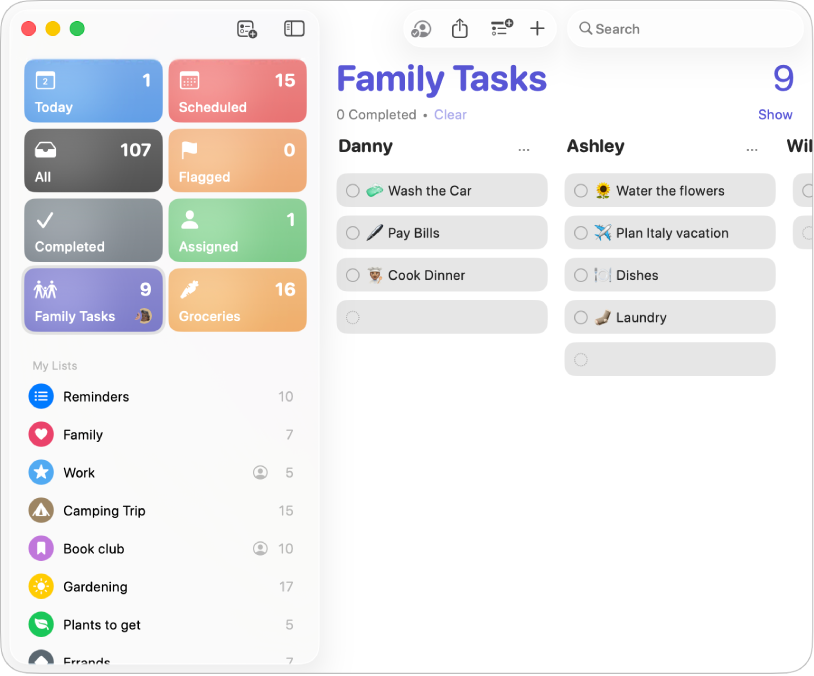
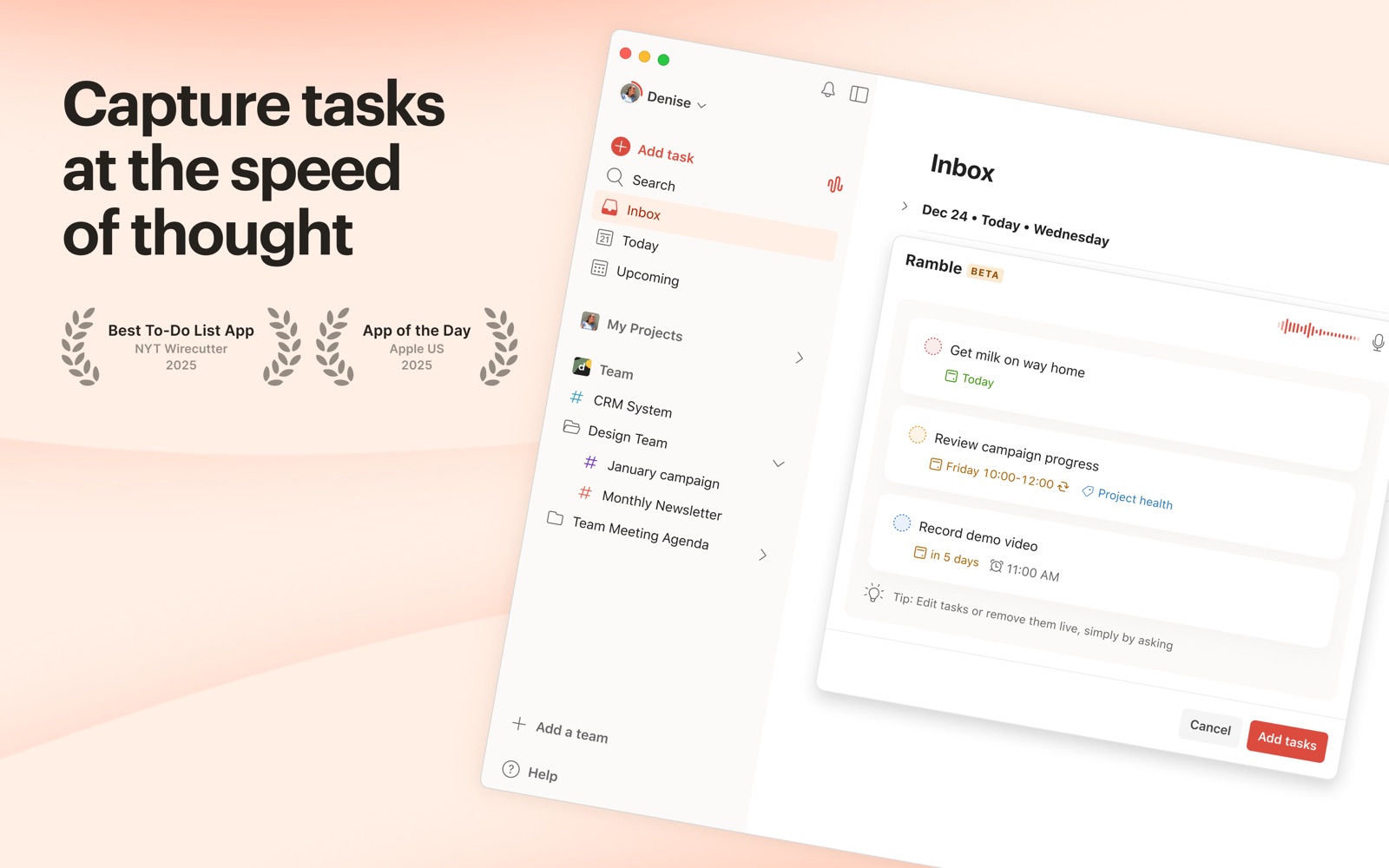
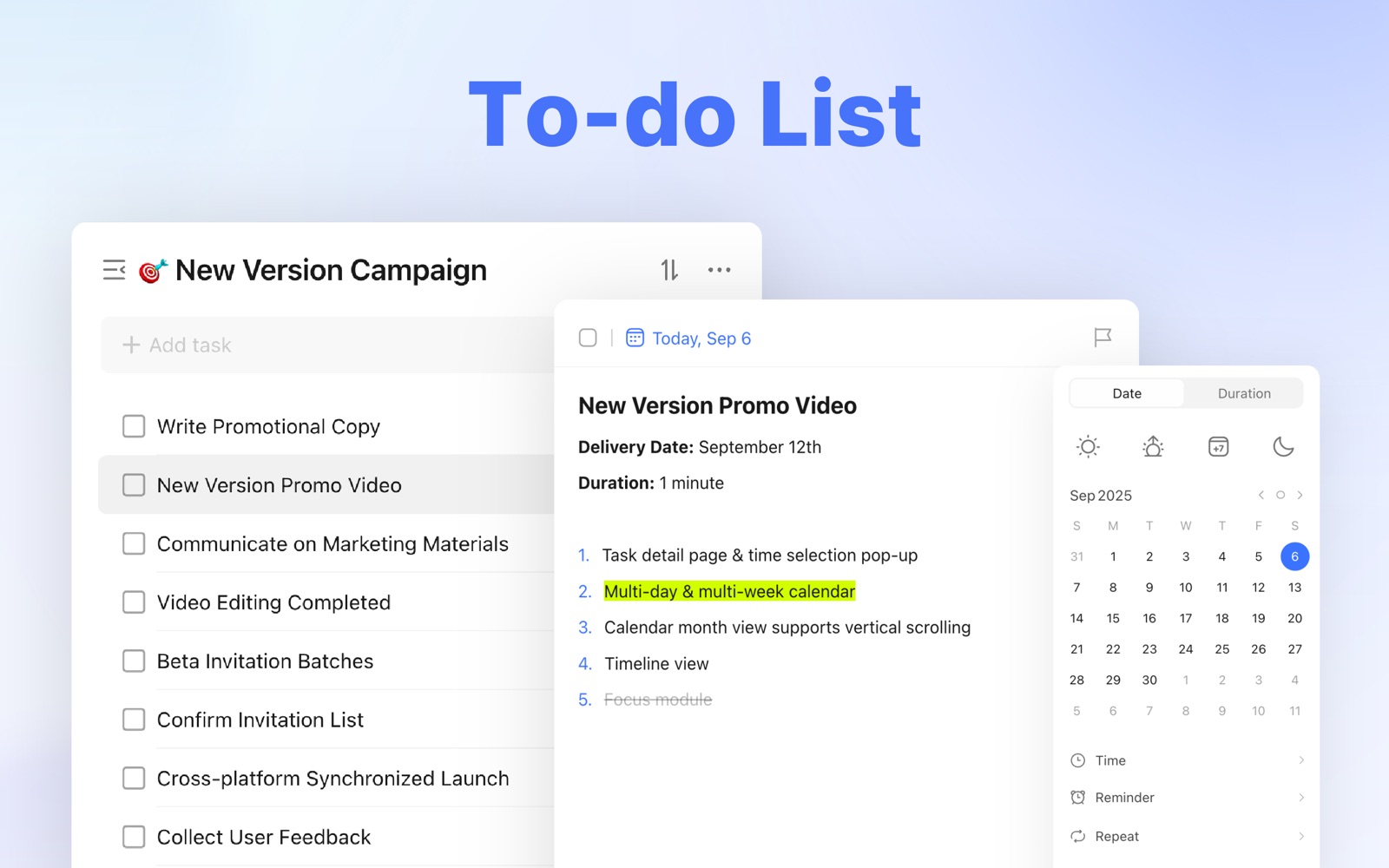
These are genuine Mac interfaces from official product pages, documentation or Mac App Store listings. No phone screens are substituted here.
The quick version
The differences that matter
- Apple Reminders
- Best free choice for a Mac and iPhone
- Microsoft To Do
- Best free choice for Outlook, Windows or Android
- Todoist
- Best free plan to start a system that may grow
- TickTick
- Best free mix of tasks, calendar and focus
- Obsidian
- Best free local files for tasks inside notes
- Structured
- Best free visual plan for a single day
Apple Reminders is the first app most Mac owners should try
Reminders is not a trial. Dates, times, repeating reminders, tags, Smart Lists, sections, location alerts and shared lists are part of the app that comes with macOS. It also has the least setup cost because it already uses your Apple account and appears on the iPhone beside it.
Its weakness appears when the list becomes a portfolio of projects. Capturing an errand is easy; reviewing forty next actions across work and home is less graceful. That is a reason to move later, not a reason to skip the free app now.
Microsoft To Do is the genuinely free cross-platform option
Microsoft To Do works on Mac, Windows, iPhone, Android and the web without selling a Pro tier. My Day gives you a fresh daily list, and flagged Outlook email can appear as a task. That combination is more useful than a longer feature list if work already arrives through Microsoft 365.
The app stays deliberately simple. It does not have Todoist-style filters or the calendar planning found in TickTick. For a personal list that needs to cross an iPhone and a Windows work computer, the restraint can be a benefit.
Todoist and TickTick are free until you need their better planning tools
Todoist has the better capture habit. A date and project can be typed into the task itself, and the same inbox follows you across almost every platform. Its free plan can run a modest personal system, but calendar layout, task duration and more advanced reminders are reasons people eventually pay.
TickTick gives more of the planning surface up front. The free Mac app includes lists, basic calendar access and a focus timer, but its premium plan is where the fuller calendar and more generous limits live. Choose it because you want those connected tools, not because it has the longest checklist.
Obsidian and Structured solve narrower problems
Obsidian is free if you keep ordinary local Markdown files and handle syncing yourself. It works well when a task belongs beside a meeting note or piece of research. It is not a ready-made reminder system, and the popular Tasks plugin adds capability at the cost of more setup.
Structured is the opposite. It takes a short list and lays it across a visible day. The basic app is free and easier to understand than a plugin system, but it is a daily planner rather than a deep project archive. Both are good only when that specific shape matches the problem.
The free plan should survive an ordinary bad week
Before importing an old archive, add ten current tasks, make two recur and let one day go wrong. Then check whether rescheduling, search and the next week still work without an upgrade. A free plan that blocks the recovery step is not free for your actual workflow.
For most Apple-only households, Reminders passes that test. For mixed devices, Microsoft To Do is the cleaner no-cost answer. Todoist and TickTick make sense when you are comfortable treating the free plan as a useful starting tier rather than a permanent promise.
Good to know
A few common questions
What is the best free to-do list app for Mac?
Apple Reminders is the best free choice for most Mac owners. Microsoft To Do is better when Windows, Android or Outlook is part of the setup.
Does Mac have a free to-do list app?
Yes. Apple Reminders is included with macOS and syncs through iCloud with iPhone, iPad, Apple Watch and the web.
What is the best free to-do list app for Mac and iPhone?
Apple Reminders is the simplest fully free option. Todoist is a better starting point if you may later add Windows, Android or more structured projects.
Is Todoist free on Mac?
Yes. Todoist has a free plan and a native Mac app. Several advanced planning features and higher limits require Pro.
Sources
Where we checked the facts
We use the app maker's own pages for prices and features. Reviews and community posts are useful for spotting problems, but one person's experience is still one person's experience.
- 01OfficialApple Reminders User Guide for MacView source
- 02OfficialMicrosoft To Do product informationView source
- 03OfficialTodoist pricing and free-plan limitsView source
- 04OfficialTickTick plan comparisonView source
- 05OfficialObsidian pricing and local-data policyView source
- 06OfficialStructured product informationView source
- 07CommunityRecent request for a free or one-time Mac task appView source