Mac simplicity guide · Checked September 3, 2026
The 6 best simple to-do list apps for Mac in 2026
A simple task app is not one with fewer buttons in the screenshot. It is one you can still understand on Friday, after the list has grown and three days have not gone to plan.
 Apple Reminders
 Things 3
 Todoist
 Microsoft To Do
 TaskPaper
 GoodTask
Our take
Where we would start
Use Apple Reminders if you want the shortest route from thought to synced list. Buy Things 3 if you want that simplicity to extend into several personal projects. Todoist is the straightforward choice across different devices. TaskPaper is the most direct keyboard-first option for people who would rather edit plain text than operate a task manager.
Inside the apps
What they actually look like
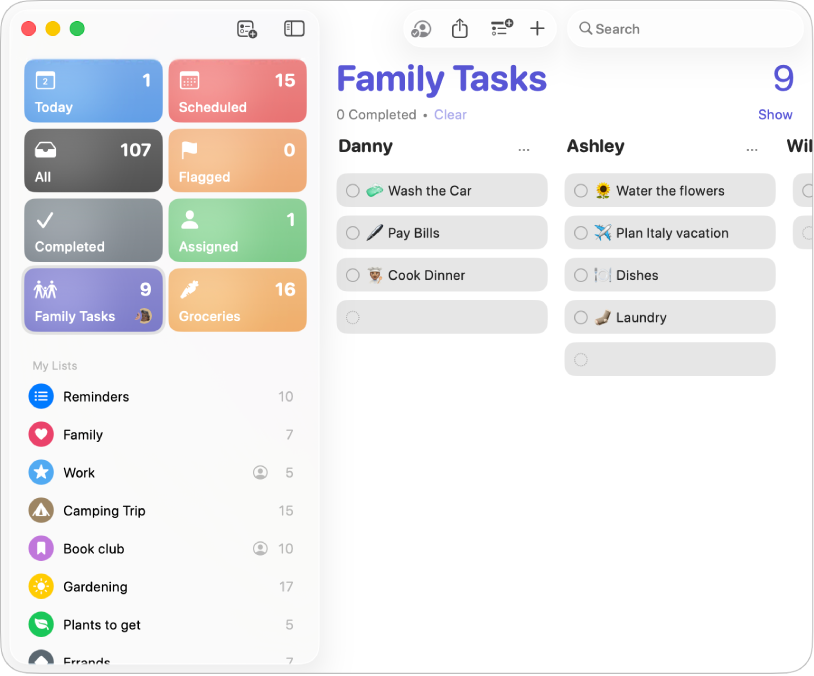
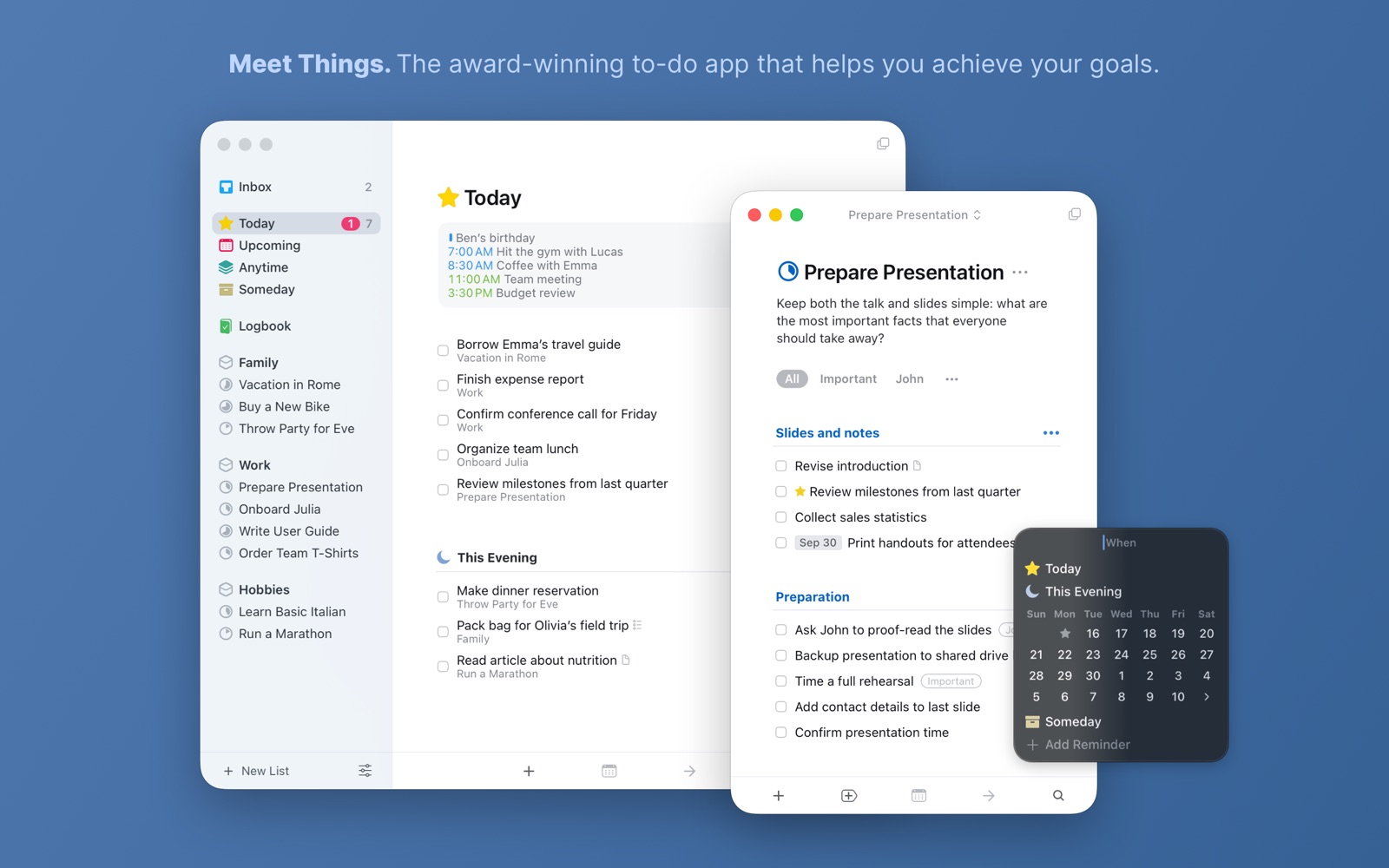
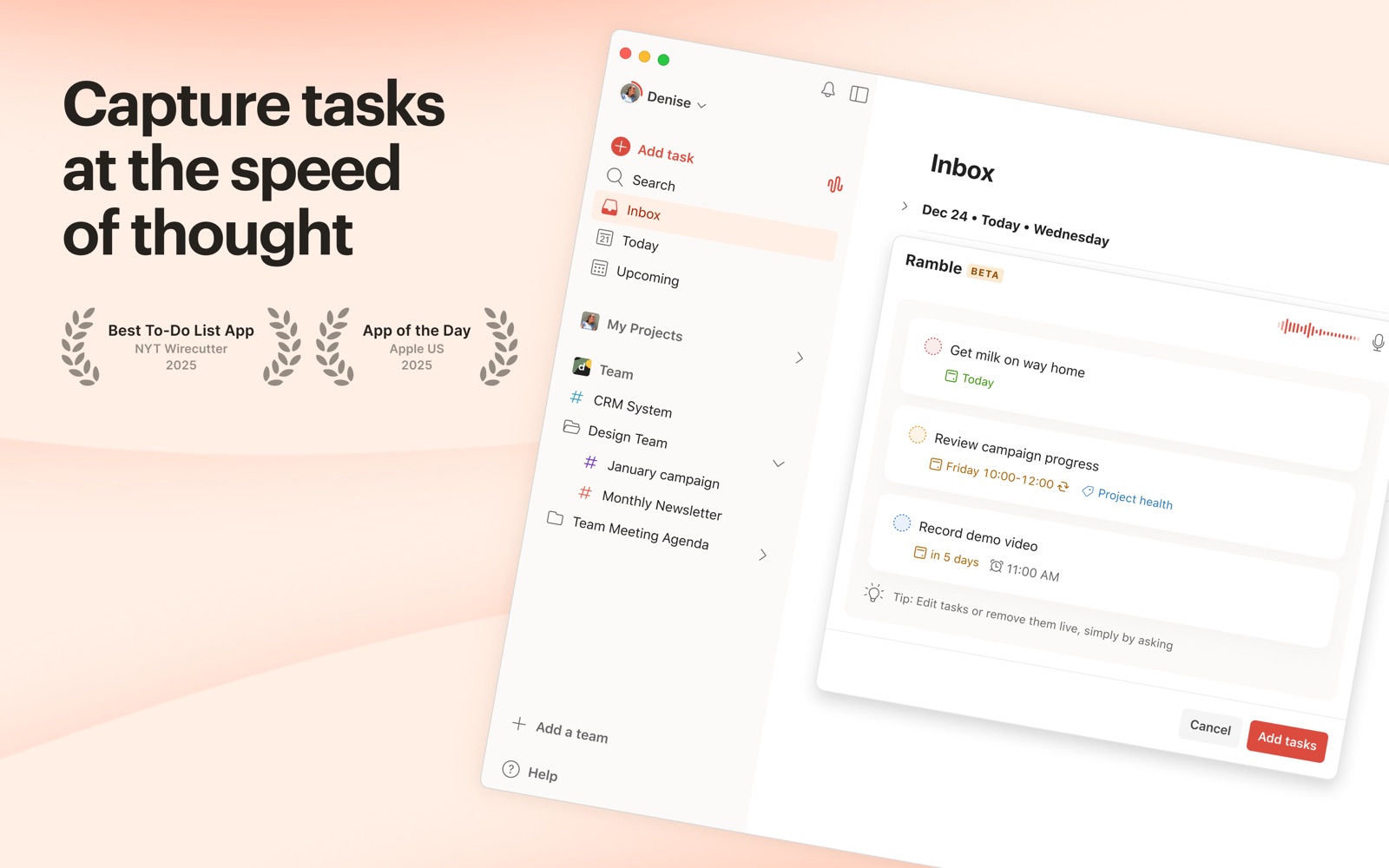
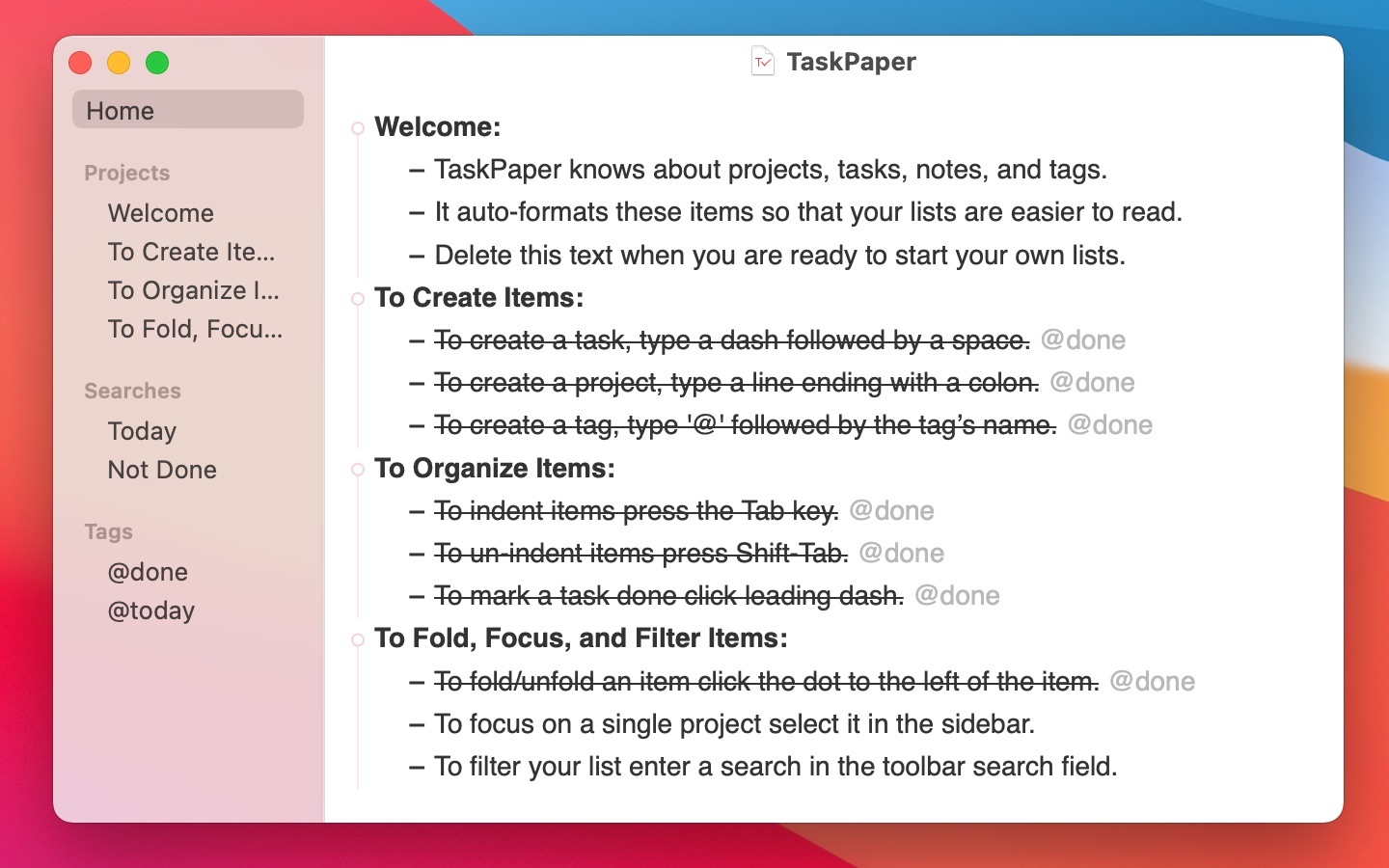
These are genuine Mac interfaces from official product pages, documentation or Mac App Store listings. No phone screens are substituted here.
The quick version
The differences that matter
- Apple Reminders
- Simplest free list for Mac and iPhone
- Things 3
- Simplest way to manage several personal projects
- Todoist
- Simplest list that also works beyond Apple
- Microsoft To Do
- Simplest free list for Outlook users
- TaskPaper
- Simplest keyboard-first plain-text system
- GoodTask
- Simplest upgrade when Reminders needs better views
Reminders is simple because it removes the installation decision
Open Reminders, make a list and add the next thing. Siri can catch a task when typing is inconvenient, and the same list is already on an iPhone. For groceries, errands, recurring chores and shared household lists, adding another account rarely improves the job.
The app now includes tags, Smart Lists and sections, but you do not have to use any of them. That optional depth is important. A simple app should let the system grow without asking you to design it on the first afternoon.
Things 3 stays calm when one list becomes several projects
Things has more structure than Reminders but makes most of the decisions for you. Inbox, Today, Upcoming, Anytime and Someday are fixed places with clear jobs. Quick Entry also works from the Mac keyboard without first finding the app window.
The restraint has hard edges. Things has no Android, Windows or browser app and does not support shared lists. It is wonderfully simple for one person inside Apple hardware, and simply the wrong product outside that boundary.
Todoist and Microsoft To Do are the easy routes off Apple hardware
Todoist is quicker to grow into. Natural-language entry keeps capture short, while projects and filters are available when the list becomes more serious. The interface contains more than Things, but the basic inbox, project and Today pattern remains easy to explain.
Microsoft To Do is plainer and completely free. Its My Day screen asks you to choose today again each morning instead of carrying every overdue intention forward. It is a good fit for Outlook users who do not need elaborate project views.
TaskPaper is a list you operate like a text document
TaskPaper is the outlier here. Projects end with a colon, tasks are lines and tags are text. Search rules can reveal a useful slice without turning the file into a database. People who already think in keyboard shortcuts may find it simpler than any graphical planner.
There is less help if you want shared lists, a rich phone companion or guided daily planning. Plain text is durable, but it expects you to supply the routine around it.
GoodTask is for the person who nearly likes Reminders
GoodTask reads Apple Reminders and Calendar data, then adds stronger lists, filters and board-style views. Capture can remain in Siri or Reminders while review happens in a more configurable Mac app.
It is not our first recommendation for somebody seeking the fewest controls. It belongs here because it avoids a full migration when the built-in list is reliable but the way it is displayed has become the annoyance.
Good to know
A few common questions
What is the best simple to-do list app for Mac?
Apple Reminders is the simplest free answer. Things 3 is better when a personal list has grown into several projects, and Todoist is better across mixed devices.
Is there a simple to-do list for Mac and iPhone?
Apple Reminders is included on both and syncs through iCloud. Things 3 is a more polished paid option for personal planning.
What is the simplest Mac task app for keyboard users?
TaskPaper is closest to editing a plain-text document. Things 3 and Todoist provide better reminders and phone apps while still supporting fast keyboard capture.
Is Things 3 simpler than Todoist?
Usually, if you use only Apple devices and do not collaborate. Todoist has more platform and sharing options, which also means more visible machinery.
Sources
Where we checked the facts
We use the app maker's own pages for prices and features. Reviews and community posts are useful for spotting problems, but one person's experience is still one person's experience.
- 01OfficialApple Reminders User Guide for MacView source
- 02OfficialThings for Mac product and support informationView source
- 03OfficialTodoist for macOS and Quick AddView source
- 04OfficialMicrosoft To Do product informationView source
- 05OfficialTaskPaper product informationView source
- 06OfficialGoodTask product informationView source
- 07CommunityMinimal task manager discussion from r/macappsView source